Google Home is getting a small but useful automation update, and the practical value is not that your house suddenly becomes “smart”. The useful part is simpler: the app is starting to offer suggested automations, ready-made routines that can be applied or edited instead of forcing every user to begin from a blank canvas.
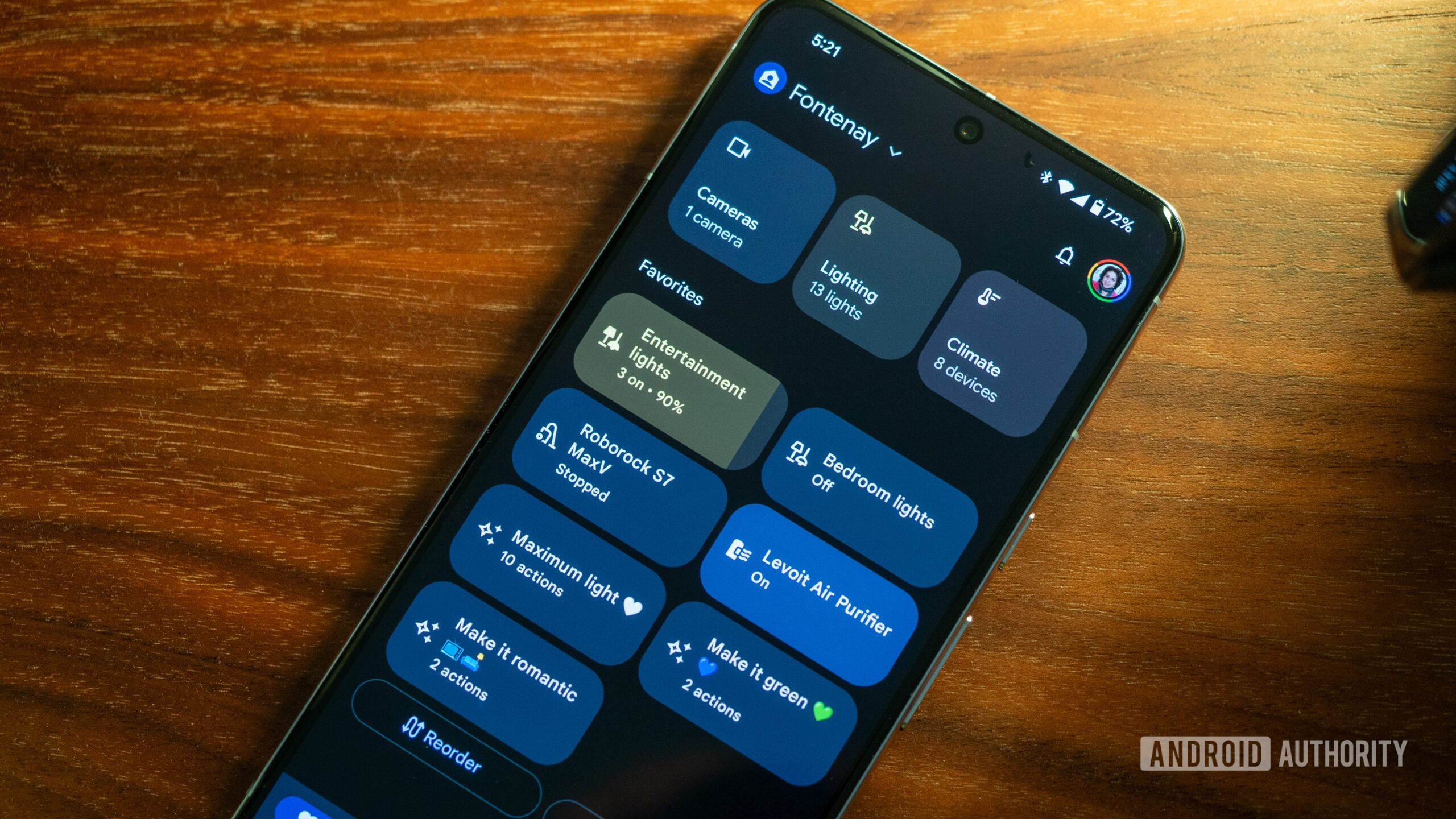
Android Authority reports that the feature is appearing in the Google Home app as prebuilt routines for real-life tasks, while 9to5Google ties the rollout to Google Home v4.20 and Google’s latest Home release notes. The examples are exactly the kind of things many people intend to configure and then postpone forever: turning on security cameras at night, adjusting speakers near bedtime, switching lights off when nobody is home, or building morning and energy-saving routines without writing the whole logic manually.
The official Google Home app on Google Play is still the operational center on Android. Google lists more than a billion downloads, Gemini for Home integration, camera history, device dashboards and account-based controls, with the usual footnote that some products and features depend on region, device compatibility and account availability. That footnote matters here, because an automation that looks harmless in a screenshot can touch lights, cameras, locks, speakers and notifications in the real house.
From a lab point of view, suggested automations are best treated as templates, not as instructions to accept blindly. A useful template reduces friction; a bad one creates a silent background behavior that nobody remembers configuring. Before enabling one, open it, read every trigger, every condition and every action. Check whether it runs by time, presence detection, device state, sensor state or manual command. Then ask the boring but essential question: if this runs while someone else is at home, is it still correct?
What actually changes
The real change is onboarding. Google Home automations were already powerful enough for many households, but the empty starting screen is a classic productivity trap: technically flexible, psychologically dead. Suggested automations give new users a sane starting point and give experienced users a shortcut for common routines. That can increase adoption, but it also increases the number of background rules running in homes where nobody has a proper inventory of devices, rooms and permissions.
The update also improves camera behavior. 9to5Google notes new controls for Onn Outdoor and Onn Floodlight cameras, including light interaction and brightness adjustment, plus fixes for live view reliability, longer viewing sessions, door lock status display, Face Match setup, fan controls, Favorites reordering and Google TV camera previews. These are not glamorous fixes, but smart home software lives or dies on reliability. A camera feed that fails to resume after unlocking the phone is not a “minor UI issue” if you are checking a door, a driveway or a room at the wrong moment.
There is one limit to keep visible: suggested automations do not replace custom automations. Android Authority says custom routines are not going away, and suggested automations can be customized before being added. That is the healthy model. The template should save time; the final responsibility remains with the person who owns the devices and lives with the consequences.
Checks before enabling a suggested automation
- Check the trigger: time, sunrise/sunset, presence, sensor state and manual commands behave very differently.
- Check every device: make sure the routine acts only on the room, speaker, camera, light or lock you expect.
- Check shared homes: presence-based automations can be wrong if another household member is still inside.
- Check notifications: a useful camera alert becomes noise if it fires every night for predictable activity.
- Test manually first: run the automation while you are watching the affected devices, not while leaving the house.
- Name it clearly: “Night camera routine” is better than a cute name nobody understands in six months.
For Android users, the most practical workflow is to keep the first week conservative. Enable one automation, observe it, then add another. If something behaves oddly, disable the routine before blaming the light bulb, the router, the speaker, the camera or the cosmic order of the universe. Smart home debugging is already annoying enough without mystery rules firing in the background.
In short
- Google Home is rolling out suggested automations to help users create routines from templates.
- The rollout is tied to Google Home v4.20 and is expected globally on Android and iOS over the coming weeks.
- Custom automations remain available, and suggested automations can be edited before use.
- The same update includes camera and smart home reliability fixes, including live view and device status improvements.
- The safe approach is to treat every suggested automation as a draft, then verify triggers, devices, shared-home behavior and notifications.
Sources
- Android Authority — July 8, 2026, 19:29 UTC
- 9to5Google — July 8, 2026, 17:55 UTC
- Google Play: Google Home — checked July 8, 2026