Google Voice is getting a more serious paid layer. According to 9to5Google, Google has started offering paid tiers for personal accounts, bringing features such as call recording and Gemini integration beyond the traditional Workspace-only framing. For Android users, the useful question is not whether the subscription sounds clever. It is whether Voice actually works for your account, your country, your phone workflow and your legal comfort zone before you move important calls into it.
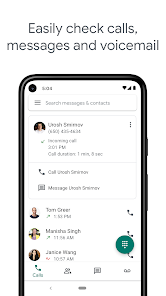
The first check is availability. The Google Play listing for Voice still says the service works with personal Google Accounts in the US and with Google Workspace accounts in select markets. That matters more than the marketing copy. If your account cannot activate a Voice number, if SMS is not supported in your market, or if the premium options never appear in the app, paying for the new tier is not a plan. It is a support ticket wearing a nice jacket.
The basic Android check is straightforward. Install or update Google Voice from the official Play Store listing, sign in with the account you intend to use, then verify three things: the linked Voice number, call forwarding and whether premium features appear in the account menu. If you use Voice for work, check your organization’s policy too, because Workspace plans can handle recording, retention and audit controls differently from a personal account.
Checks before you pay
Before starting a subscription, run through a very practical checklist:
- Service availability: personal Google Voice is still heavily tied to the United States; outside that scope, features may not appear.
- Active Voice number: without a configured number, the app is mostly a green icon and a promise.
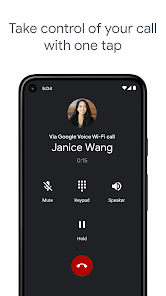
- Call recording: confirm the feature is visible, and remember that consent rules vary by country and context.
- Local SIM behavior: Voice does not magically replace your carrier calls; understand how forwarding and incoming calls work.
- Gemini in the workflow: AI only matters if it produces useful summaries or assistance, not another panel to ignore.
- Exit plan: before routing important calls, check history, notifications, exports and what happens if you cancel.
What actually changes
The interesting part is that Google appears to be turning Voice from a long-running side service into something more monetizable, with AI and light business-phone features. On Android, that can be useful for people who manage separate numbers, small-business calls, recurring conversations or workflows where recording and summarizing a call has real operational value. But it is not a universal Android phone feature. It is a Google cloud service, with its own availability limits, account rules and policies.
AndroidLab’s reading is cautious: if you are outside the US or do not already have a concrete reason to use Voice, wait until pricing and availability are visible in your own account before reorganizing how you receive calls. If Voice is already part of your workflow, the paid plan may be worth testing, especially for recording, call management and AI-assisted summaries. The only useful test is a week of real use with non-critical calls, notifications enabled and history checked after each call.
Common problems and quick fixes
If the app does not show the new plans, check the Play Store update, the signed-in account and the country tied to the profile. If calls do not arrive, verify forwarding, Do Not Disturb, phone and notification permissions, and Android battery restrictions. If recording is missing, avoid strange workarounds: it may depend on plan availability, account type or local restrictions. And if Gemini is not visible, the most likely explanation is not a mysterious bug, but gradual rollout or a feature not enabled for that profile.
Related: if you are evaluating yet another Google AI subscription, read our guide to Gemini on Android Free, AI Plus and AI Pro. The logic is the same: pay only when limits, features and real use line up.
In brief
- Google Voice is adding paid tiers for personal accounts, according to 9to5Google.
- On Android, the first check is compatibility: account, country, Voice number and visible features.
- Call recording is a sensitive feature and should not be treated as a casual toggle.
- Gemini is useful only if it improves call handling and summaries, not because an AI label exists.
- The practical advice is to test the workflow with non-critical calls before trusting it with work or important numbers.