The fresh signal from Android Police is small only on paper: DuckDuckGo Browser for Android is leaning harder into Duck Player, its built-in way to watch YouTube with less targeted advertising and less tracking. This is not a magic switch for every ad on the web, and it is not a replacement for YouTube Premium. It is useful because it gives Android users a practical middle ground for links opened from chats, quick searches and occasional videos.
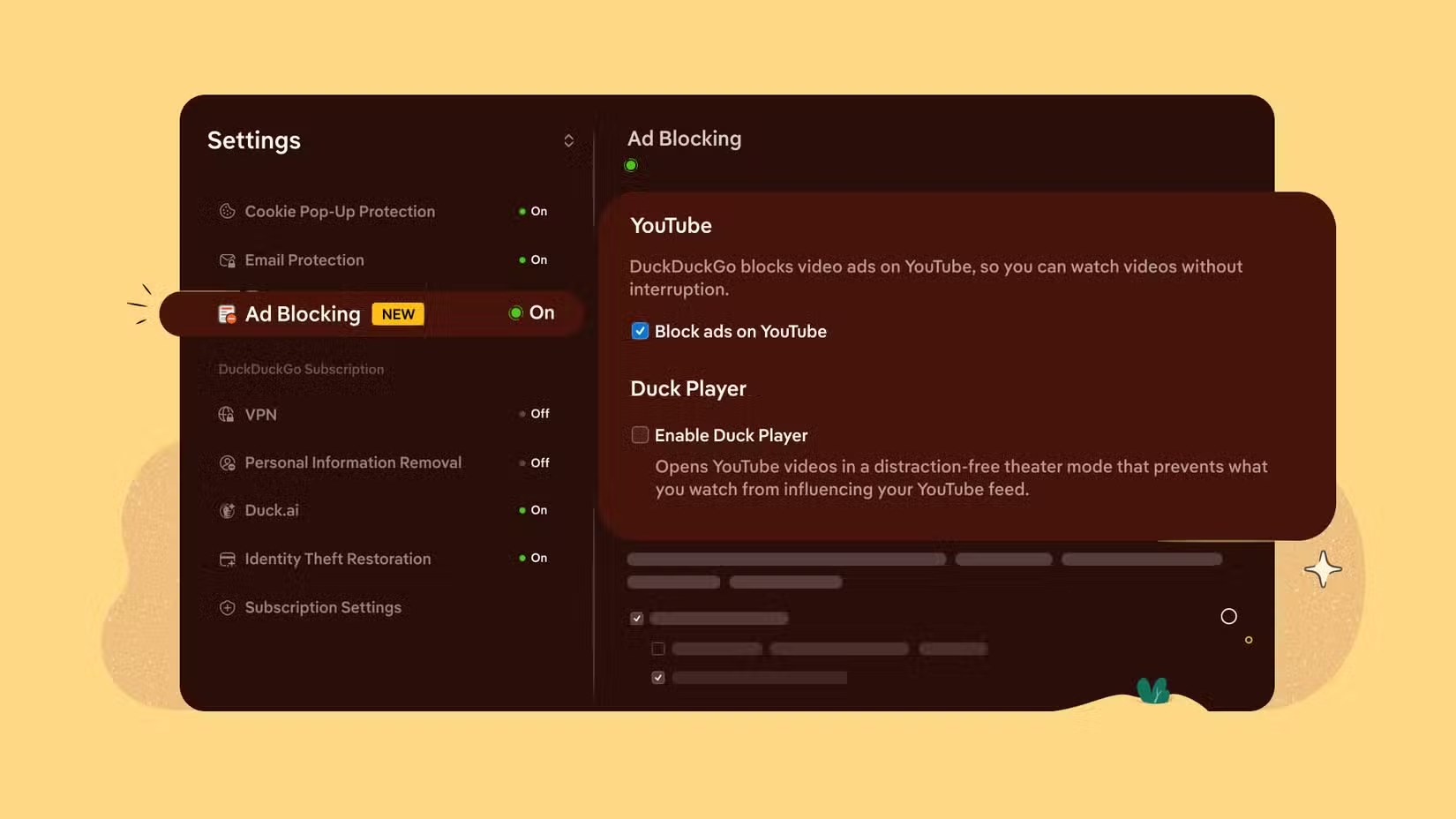
The practical idea is straightforward: Duck Player opens YouTube videos inside the DuckDuckGo browser environment, with DuckDuckGo saying that watch activity should not influence your YouTube recommendations. On Android, the baseline requirement is the official DuckDuckGo Private Browser app from Google Play, plus a YouTube link opened in that browser rather than automatically handed over to the YouTube app.
Before treating this as another “block everything” trick, the limits matter. Duck Player does not change the YouTube app, does not unlock paid YouTube features and may not handle every embedded video or shortened link in the same way. Account-based YouTube features such as comments, full interaction history or app-level controls can also be less convenient than staying inside the official YouTube app. It is a lab-style trade-off: less advertising friction and less behavioral signal, but also less integration.
Requirements
- An Android phone or tablet compatible with DuckDuckGo Browser.
- The official DuckDuckGo Private Browser app on Google Play.
- A YouTube link opened in DuckDuckGo, not automatically routed into the YouTube app.
- Some patience: availability can depend on the app version, rollout and link format.
How to try Duck Player on Android
- Install or update DuckDuckGo Browser from Google Play.
- Open the app settings and look for Duck Player or YouTube playback options.
- Open a YouTube link inside DuckDuckGo, either from search results or by pasting the URL into the browser bar.
- If Duck Player is offered, select it and check whether the choice can be saved as the default.
- Compare it with the YouTube app: ads, sign-in, comments, history and recommendations do not behave exactly the same way.
Common issues and fixes
If links keep opening in the YouTube app, check Android’s supported links settings: open Settings, Apps, YouTube, then “Open by default” and review which URLs YouTube is allowed to intercept. You usually do not need to uninstall YouTube or declare war on your phone. Opening the link from the browser, or using Android’s “Open with” flow, is often enough.
If Duck Player does not appear, update DuckDuckGo, restart the browser and test with a normal YouTube URL instead of a shortened or heavily embedded link. If it still does not show up, the feature may not have reached your app build or region yet. The sensible move is to wait for the official update rather than chasing random APKs from places with the digital hygiene of a damp basement.
What actually changes
For Android users, the real change is control. Watching a one-off YouTube video can become less sticky: fewer automatic jumps into the YouTube app, fewer recommendations shaped by a random clip and a clearer boundary between “I opened this link” and “please rebuild my video feed around it.” This is the same AndroidLab theme we covered in our piece on in-app browsers and link privacy on Android: the place where a link opens often decides how much behavioral data you leave behind.
Our read is simple: Duck Player is interesting not because it “beats YouTube,” but because it makes a hidden Android control visible again. If you watch YouTube for hours every day, Premium remains the cleanest way to remove ads without workarounds. If you mostly open occasional videos and want more privacy with fewer polluted recommendations, DuckDuckGo is worth testing.
In brief
- Duck Player is built into DuckDuckGo Browser and aims to reduce targeted ads and tracking around YouTube playback.
- On Android, use the official DuckDuckGo Browser app from Google Play.
- It does not replace YouTube Premium and does not provide every YouTube app feature.
- If links always open in YouTube, review Android’s supported links settings.
- The real benefit is control: fewer automatic handoffs, fewer polluted recommendations and more choice.
For the separate question of ads, see our guide to DuckDuckGo’s YouTube ad protection and its limits.