
On this page
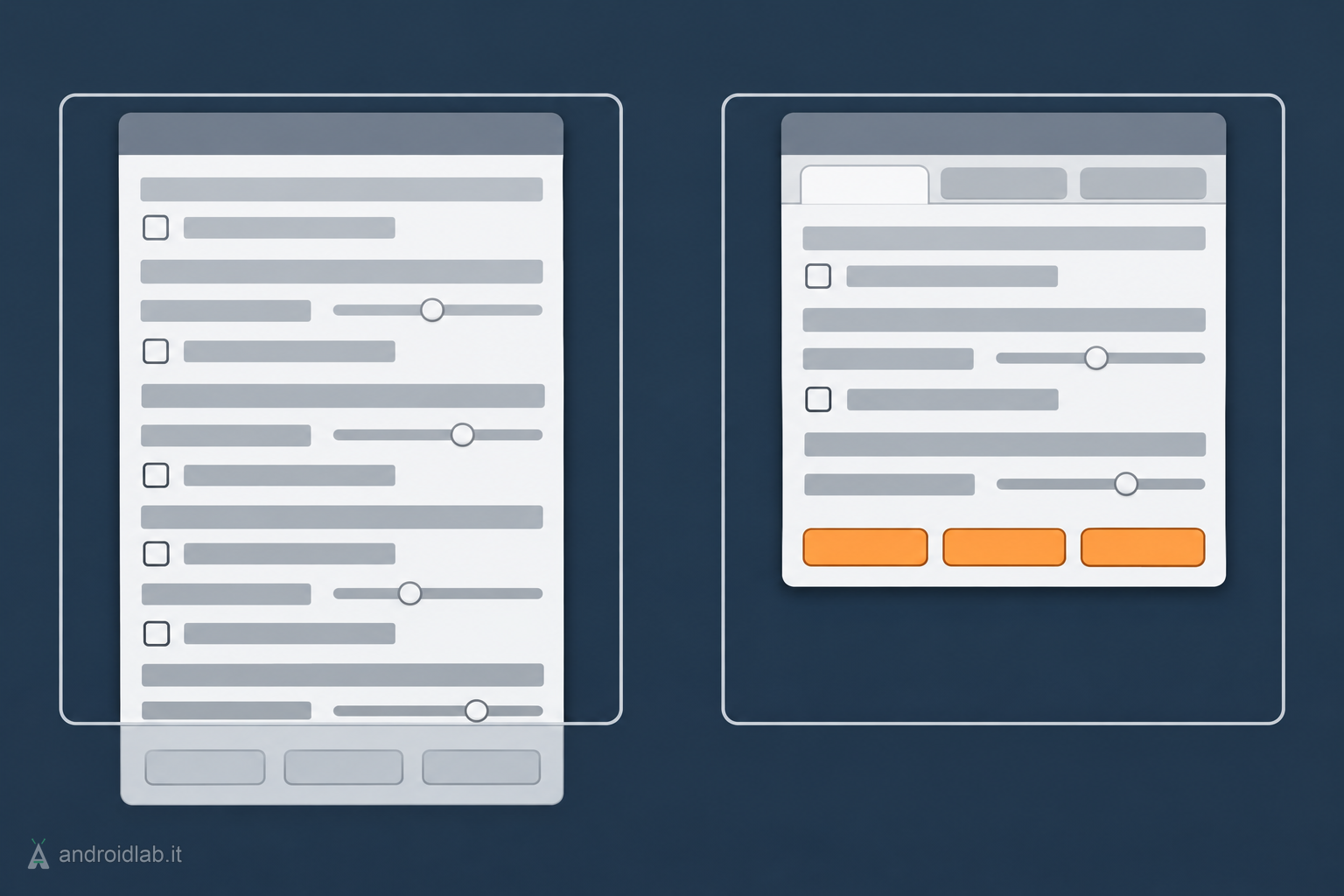
EdgeSnap 0.54 beta came out on 17 November 2026 and changes one thing only: the preferences window. On a screen 768 pixels high it could run past the bottom edge, taking the Save, Use and Cancel buttons with it. The settings are now split over three pages instead of two, and the window is shorter on every system. Window snapping works as it did in 0.53.
A window taller than the screen
The report came from a user with a Pi-Top running piAROS at 1366×768: the Snapping page went below the edge of the screen, and so did the three buttons that save or cancel the changes. I found the same cut in QEMU at 1024×768, where the 0.53 window was exactly 768 pixels tall.
A preferences window where Save cannot be pressed is a small fault to describe and an annoying one to live with, most of all on the machines where EdgeSnap makes the most sense: laptops and compact screens, where putting two windows side by side really helps.
The Screen page
Up to 0.53 there were two pages, Snapping and Hotkeys. 0.54 adds a third, Screen, for everything that is about the screen more than about snapping:
- Docks: “Keep clear of docks” and “Space around a dock”, that is, the detection of docks and panels and the room left around them;
- Margins: the four margins, Left, Top, Right and Bottom;
- the system’s own “Windows can move off-screen”, which is still kept in the operating system’s preferences and not in EdgeSnap’s.
The Snapping page keeps the Zones, Sensitivity and Look sections. The Hotkeys page is unchanged, and it is now the tallest of the three.
The preferences are native on each system: ReAction on AmigaOS 4, MUI on MorphOS, Zune on AROS. All three windows are built from the same table of settings, though, where each row says which page it belongs to. Moving docks and margins meant changing that field in six rows, and the section with the system’s setting now follows the page named Screen instead of the first one.
How much shorter
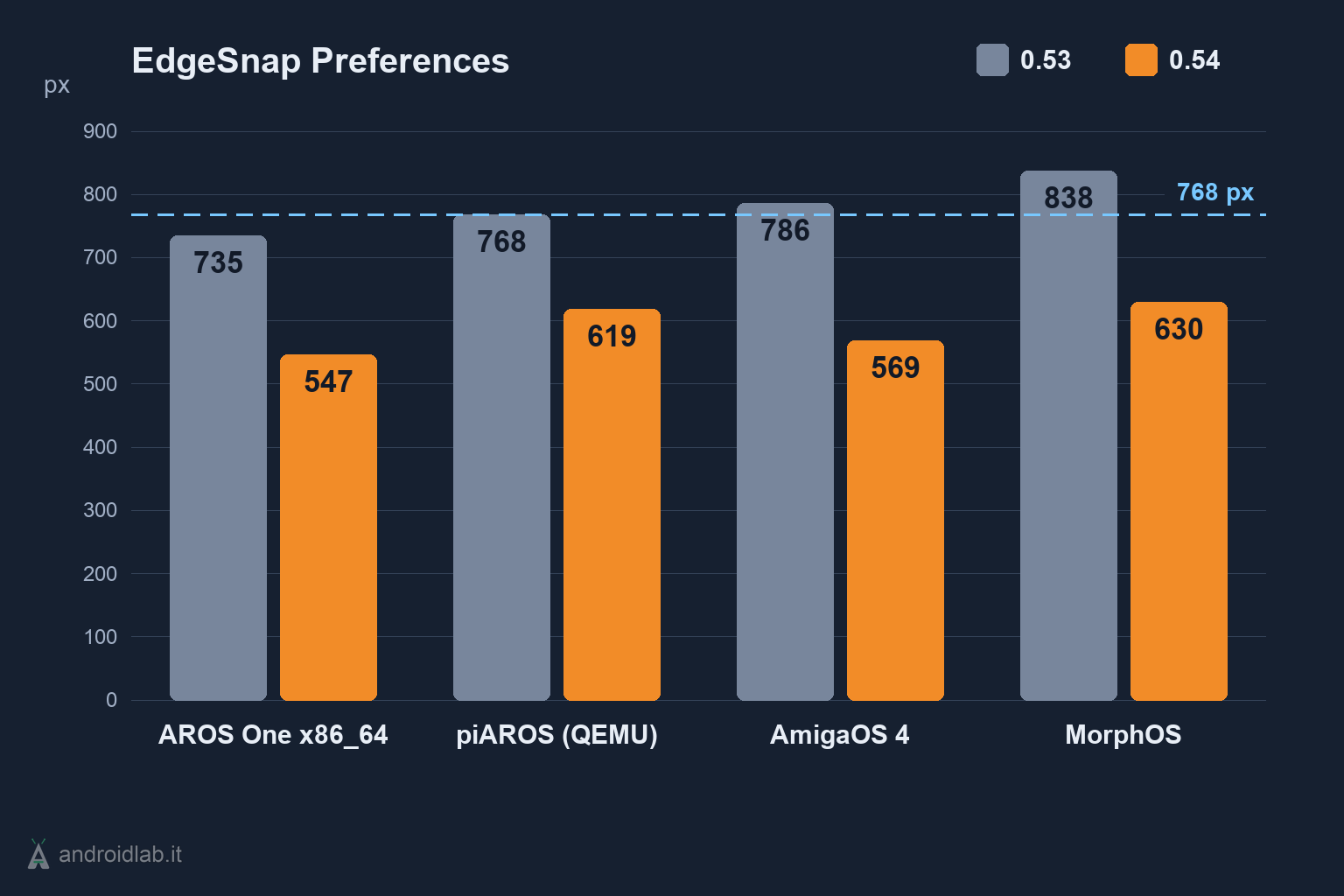
The window is between a quarter and a third shorter, depending on the system:
- AROS One at 1024×768: from 735 to 547 pixels;
- piAROS in QEMU: from 768 to 619 pixels;
- AmigaOS 4: from 786 to 569 pixels;
- MorphOS at 1920×1080: from 838 to 630 pixels.
One detail for MorphOS users: MUI remembers a window’s size by its id. If the preferences had already been opened at the old height, the window keeps it until it is made smaller by hand.
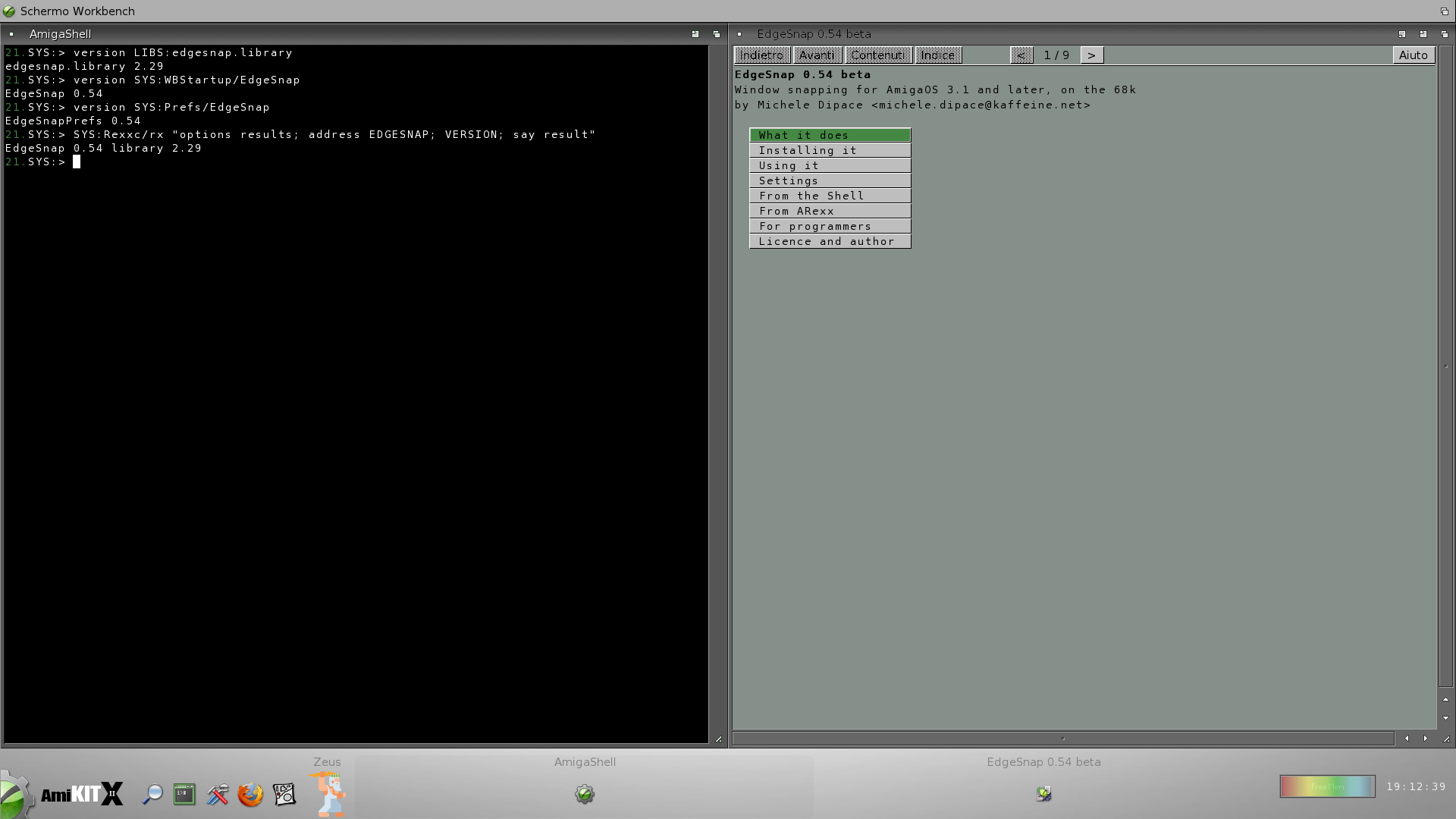
Nothing else changes. The library is still edgesnap.library 2.27.
What I tested it on
I tried the new window on real hardware with a Raspberry Pi 400 running AROS and a Power Mac G5 running MorphOS 3.20. Under emulation I checked it on piAROS 0.4.2, AmigaOS 4.1 Final Edition Update 3, MorphOS 3.21, AROS One 1.3 x86_64 and AROS One x86. On AmigaOS 4 and MorphOS I installed the package over a running 0.53, and on AROS One x86 on a clean system.
The 68k lane moves to 0.54 too
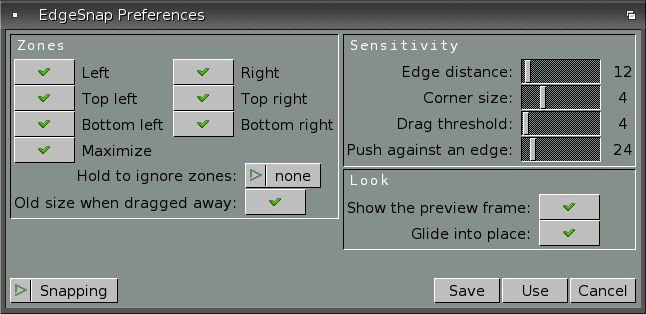
EdgeSnap classic, the version for AmigaOS 3.x on the 68k, got the same Screen page, with docks, margins and AmigaOS’s “Can Move Off-screen” switch. Here the snap hotkeys sit across their page, and the GadTools window goes from 250 lines to 180: it fits a 640×200 NTSC screen with topaz 8.
The same release fixes a fault seen under AfA OS, where the titles of the groups were missing. The classic library stays at 2.29. I tested it on AmigaOS 3.2.3 and 3.1 under emulation; earlier versions also ran on a stock A1200, on one with a Vampire and on one with a PiStorm running AmiKit, the machine the two screenshots above come from.
Download and update
The four archives of release 0.54 on GitHub:
- EdgeSnap-0.54.lha: AmigaOS 4 and MorphOS
- EdgeSnap-0.54-AROS64.lha: AROS x86_64 ABIv11
- EdgeSnap-0.54-AROS-aarch64.lha: AROS aarch64 (Raspberry Pi)
- EdgeSnap-0.54-AROS-i386.lha: AROS i386 ABI v0
The release notes give the md5 of each archive. The 68k version is on Aminet as edgesnap.m68k-amigaos.lha, which already shows 0.54. EdgeSnap is also distributed on OS4Depot, MorphOS-Storage and the AROS Archives, which update on their own schedule: check the version shown on the page before downloading from there.
Updating is installing again: unpack the archive and double-click Install. The installer recognises the system and asks before it copies anything.
EdgeSnap remains free and open source under the MIT licence, and reports go through the issues of the repository. The two earlier fixes for AmigaOS 4 are covered in the article on 0.53; zones, hotkeys and the ARexx port in the one on 0.5.
In short
- 0.54 beta splits the preferences over three pages: Snapping, Screen and Hotkeys.
- The window is between a quarter and a third shorter and fits a screen 768 pixels high again.
- Snapping and the library (2.27) are those of 0.53.
- The 68k lane is at 0.54 on Aminet, with a window that fits 640×200.
Cover and first diagram: conceptual illustrations generated with OpenAI, not screenshots of the program. The height chart is built from the numbers in the release notes. The two EdgeSnap classic screenshots come from the project repository.