Some Galaxy owners are reporting that Google Messages cannot reconnect to RCS after they move data to a new phone with Samsung Smart Switch. The symptom can be an RCS error, messages that fall back to SMS, or a status that never progresses past “Connecting.” This is not evidence that every Smart Switch migration is broken, but it is specific enough to justify a calm, reversible checklist before anyone reaches for a factory reset.
What is known, and what is not
Reports published on August 19 describe affected Galaxy users seeing RCS failures after a device-to-device transfer, including error code 3100 in some cases. In a Google support reply cited by Android Authority and Android Central, transferred cache data was suggested as a possible factor.
That wording matters. There is no public confirmation of a universal Smart Switch defect, no published list of affected Galaxy models, and no guaranteed cure. A carrier change can produce a similar RCS failure if number porting has not completed. Treat this as targeted troubleshooting, not a reason to avoid Smart Switch or erase a working phone.
Check the RCS status before changing anything
- Open Google Messages, then go to your profile picture > Messages settings > RCS chats.
- Write down the status. Google lists Connected, Connecting, Trouble connecting, Awaiting retry, and Not supported as distinct states.
- Confirm that the phone has a working mobile connection and that the active SIM/eSIM is the number you expect to use for RCS.
- If you recently changed carriers, wait for the port to complete before treating the problem as a Smart Switch issue.
Google’s own RCS setup documentation says a status stuck for more than 30 minutes is worth reporting through the Details option. That is a better diagnostic signal than repeatedly flipping settings at random.
The reported recovery sequence
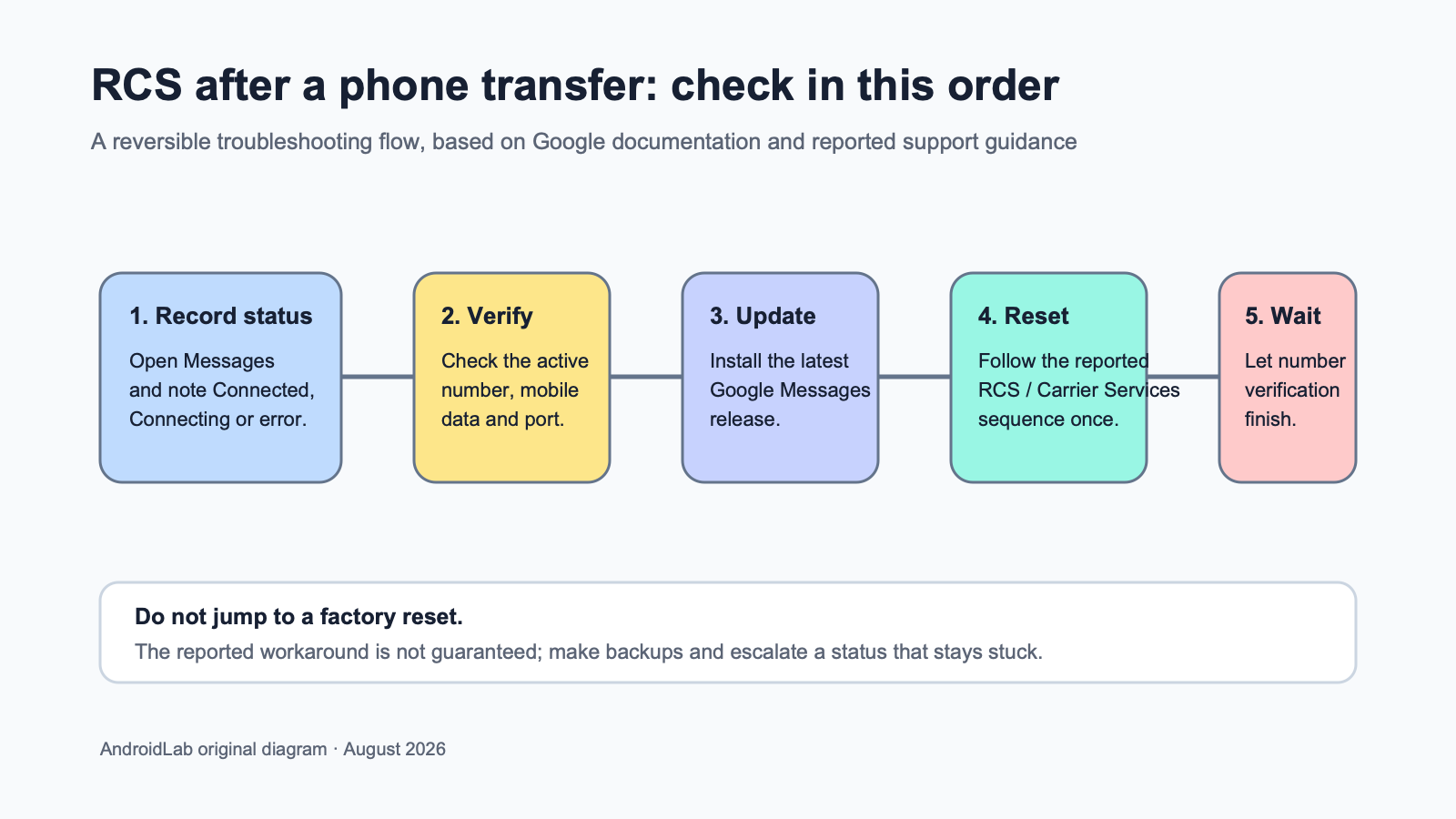
The Google support response cited in the fresh reports uses a short sequence: update Google Messages, turn RCS off, clear the Carrier Services app’s data, restart the phone, then enable RCS again. Do it once, in that order, and give number verification time to finish. Do not keep cycling the switch: Google warns that turning RCS on and off is generally not advised because it can remove you from group chats.
- Update Google Messages in the Play Store.
- Turn off RCS chats in Google Messages.
- Go to Settings > Apps > Carrier Services > Storage, then clear its app data.
- Restart the Galaxy phone.
- Return to Google Messages and enable RCS chats. Check the status rather than assuming it is active.
This does not erase your SMS or RCS conversation history, but it resets Carrier Services’ local app state. If Android labels the action differently on your model, do not clear Google Messages data instead; that is a different and more disruptive action.
What changes in practice
RCS is tied to more than the Messages app. It needs a verified phone number, working carrier provisioning, network access, and supporting services that agree about the account. That is why a transfer can look complete while the new phone still cannot register chat features. The useful distinction is between a temporary verification problem and a phone that has lost data: the first calls for measured checks, while the second would need backup and recovery planning.
For readers weighing a reset, AndroidLab’s Android documents backup guide covers the checks worth making before resetting a device that contains SMS and RCS history.
When to stop troubleshooting
The published reports note that the sequence does not work for everyone. A factory reset followed by a clean setup helped some users, but it is a last resort, not a fix Google has guaranteed. Back up anything irreplaceable first, avoid restoring the same data blindly, and contact your carrier or Google Messages support if the number remains in “Trouble connecting” after the normal verification window.
In brief
- Some Galaxy users report RCS failures after a Smart Switch transfer; the scope is not yet publicly defined.
- Check the RCS status, SIM/eSIM number and any pending carrier port before making changes.
- The reported Google support sequence is: update Messages, turn off RCS, clear Carrier Services data, restart, then enable RCS again.
- Do not factory-reset a phone until reversible checks and backups are complete.
Sources
- Google Messages Help: Turn on RCS chats in Google Messages — primary documentation, checked August 19, 2026.
- Android Central: Google Messages RCS is breaking for Galaxy users after using Smart Switch — published August 19, 2026.
- Android Authority: Facing RCS issues in Google Messages? You’re not alone — published August 19, 2026.