Editorial update – 17 July 2026. Meta's Muse episode is a useful privacy case, not proof that every Instagram AI feature works the same way. The July 2026 reports describe the withdrawal of Muse after criticism; features, notices and controls can vary by account, region and app version.
What to check before acting
- Separate confirmed product documentation from reports, previews and leaks.
- Check device, account, region, firmware and app version before assuming the feature is available.
- Use official update and download channels, and keep a reversible backup before changing data or integrations.
Meta has already pulled back Muse Image, the Instagram-linked Meta AI feature that let people generate images involving other users, after a privacy backlash strong enough to turn a launch into a cleanup operation. The practical lesson for Android users is simple: AI features inside social apps are no longer just “creative tools”. They can touch identity, profile photos, mentions, likeness, contacts, notifications and app permissions, sometimes before the user has had time to understand the boundary.
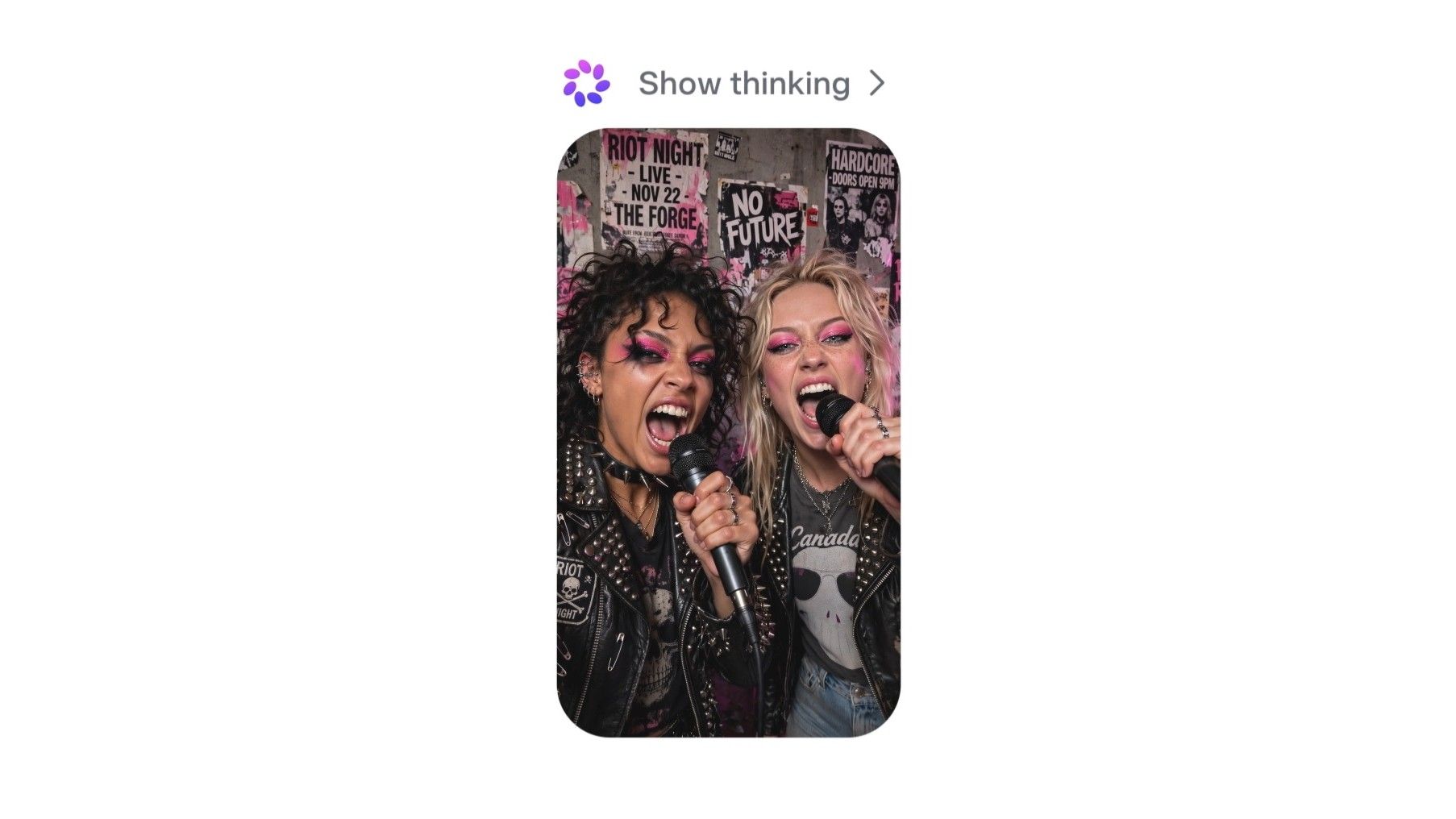


Android Central reports that Muse Image allowed users to mention Instagram accounts inside Meta AI prompts to create AI-generated pictures, and that the feature was removed after users objected to how easily other people could be pulled into generated images. Reuters also reported that Meta discontinued the AI image feature only days after launch. That combination matters because this is not a theoretical policy debate: it is a real Android app workflow, shipped to real users, then reversed under pressure.
The AndroidLab reading is blunt: the dangerous part is not only the model. It is the placement. When generative AI sits inside Instagram, it inherits a social graph, years of public images, private habits, notification pressure and the default trust people give to an app they open every day. A bad feature in a standalone AI toy is annoying. A bad feature inside a mainstream social app can turn other people into raw material for prompts, jokes, harassment or unwanted synthetic images.
If you use Instagram on Android, the first check is app hygiene. Open the Play Store page for Instagram and confirm that you are running the official app, not a clone or modded APK. Then go to Android settings, open Apps, choose Instagram and review permissions. Camera and microphone should be enabled only if you actively post Stories, Reels or voice content. Photos and videos should use Android’s selective media picker where available, not broad library access by inertia.
The second check is account visibility. Inside Instagram, review who can mention you, tag you, remix your content and use your profile in discovery surfaces. The exact menus change often because apparently hiding important switches in a moving maze is now a product discipline, but the target is stable: reduce who can attach your identity to content you did not create. If an AI feature appears in your region, treat mention and tagging controls as part of the AI boundary, not as old-school social settings.
There is also a data-training angle. Meta’s own generative AI privacy information explains that user interactions and content can be relevant to AI systems depending on product, region and settings. That does not automatically mean every private message becomes model fuel, but it does mean users should stop treating AI buttons as harmless stickers. Before uploading faces, children, documents, work screens or medical details into any social AI tool, assume the retention and review rules deserve a read, not a shrug.
What actually changes
For most Android users, the immediate change is not a setting to toggle today. It is a new rule of thumb: when Instagram, Facebook or another social app adds AI image generation, check identity controls before playing with it. Look at mentions, tags, profile visibility, camera and media permissions, and whether your region offers AI data objections or privacy forms. If the feature disappears, do not assume the risk disappeared forever; it may return with a different name, a softer prompt screen and a nicer icon. Software has a long memory when marketing wants round two.
There is a related AndroidLab angle here too. We recently covered Android checks after the EU warning on Instagram and Facebook addictive design. Muse Image is a different case, but the pattern is familiar: social apps keep adding features that blur the line between engagement, identity and consent. Android gives users some system-level brakes, but the most important control is noticing when a “fun” feature is really an identity feature wearing a party hat.
Quick Android checklist
- Install or update Instagram only from the official Google Play listing.
- Review Instagram permissions under Android Settings, especially camera, microphone, photos and videos.
- Use Android’s selective photo access where your device and app version support it.
- Check Instagram tagging, mention and remix controls, because AI tools can reuse those social surfaces.
- Avoid uploading sensitive faces, documents, health details or work screens into social AI image tools.
- Read Meta’s generative AI privacy information for your region before assuming opt-outs or objections exist.
In brief
- Meta pulled Muse Image after backlash over AI images involving Instagram users.
- Android Central and Reuters both reported the reversal, with Android Central publishing fresh coverage on July 13, 2026.
- The useful Android response is to audit Instagram permissions, tagging, mentions and media access.
- AI inside social apps should be treated as an identity and privacy surface, not only as a creative toy.
- Android Central: Meta pulls Muse Image AI from Instagram following huge privacy uproar – published 2026-07-13 17:06 UTC.
- Reuters: Meta discontinues AI image feature days after launch – published 2026-07-10.
- Meta Privacy Center: Generative AI privacy information – checked 2026-07-13.
- Google Play: Instagram official Android app – checked 2026-07-13.