
Android Auto sideloading is back in the spotlight after Android Authority documented a working path for making unofficial apps appear on a car display. The practical question is not “can it be done?” but “should this specific setup be trusted in a car?” That distinction matters a lot more on a dashboard than on a phone screen.
This guide turns the fresh finding into a checklist: requirements, compatibility, the hidden settings involved, what Google officially allows, and where the sensible stop line is. If your issue is that Android Auto does not start over USB at all, our related guide on Android Auto, USB and Advanced Protection is the better starting point.
Requirements before you start
Start with the boring checks, because boring checks save time. Google’s Android Auto help says you need a compatible Android phone, a compatible car or aftermarket head unit, and a reliable connection. If Android Auto is unstable in its official state, adding apps from outside the Play Store only adds more variables: fix the cable, permissions, updates and vehicle compatibility first.
Also remember that car apps are not ordinary Android apps stretched across a larger screen. Android Developers says apps for Android Auto and Android Automotive OS must fit supported categories and meet design requirements intended to reduce driver distraction. That is why the official catalog can feel restrictive. It is not only platform control; it is also a safety boundary, even when the boundary has the charm of a locked filing cabinet.
The sideloading path, step by step
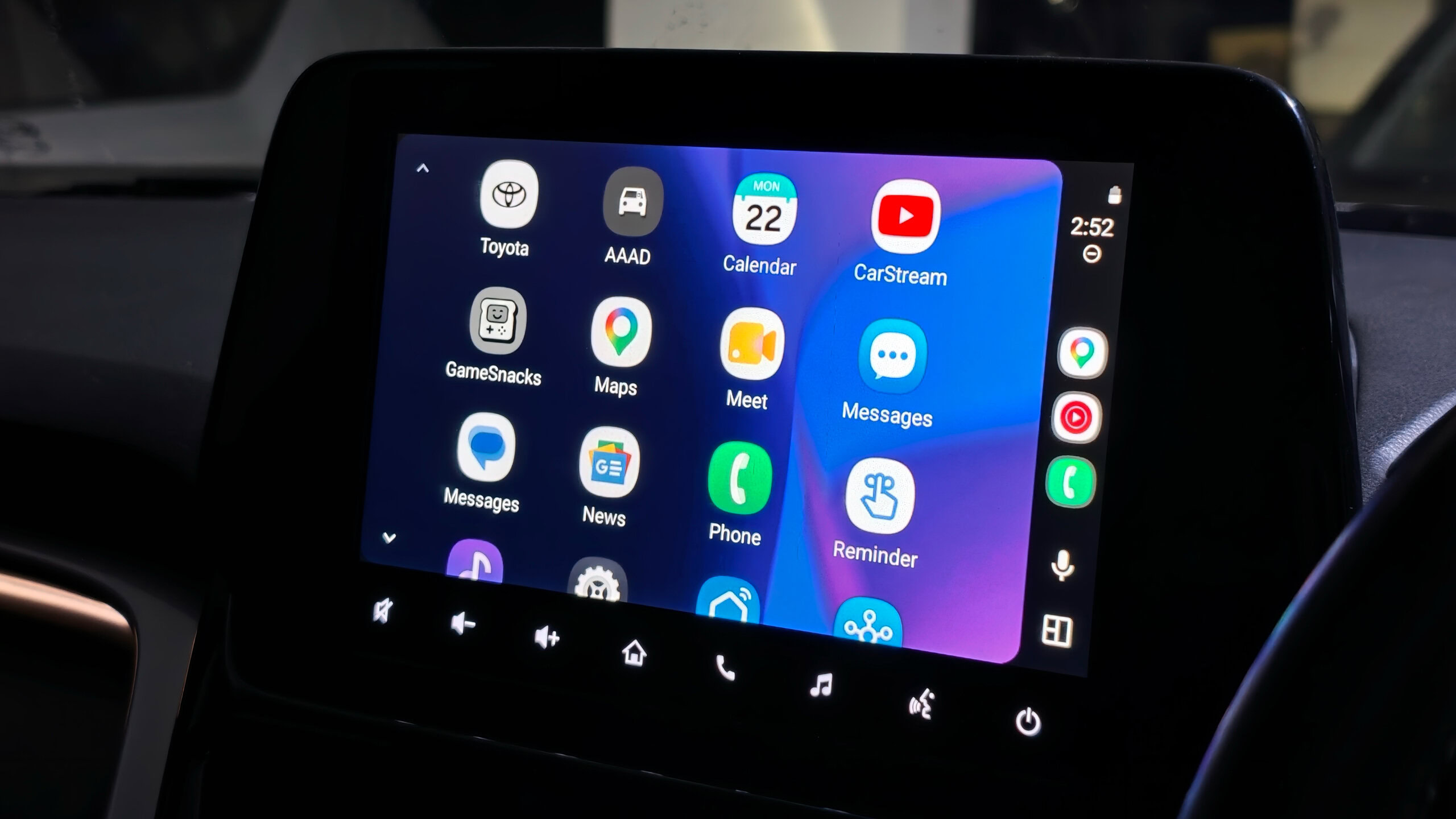
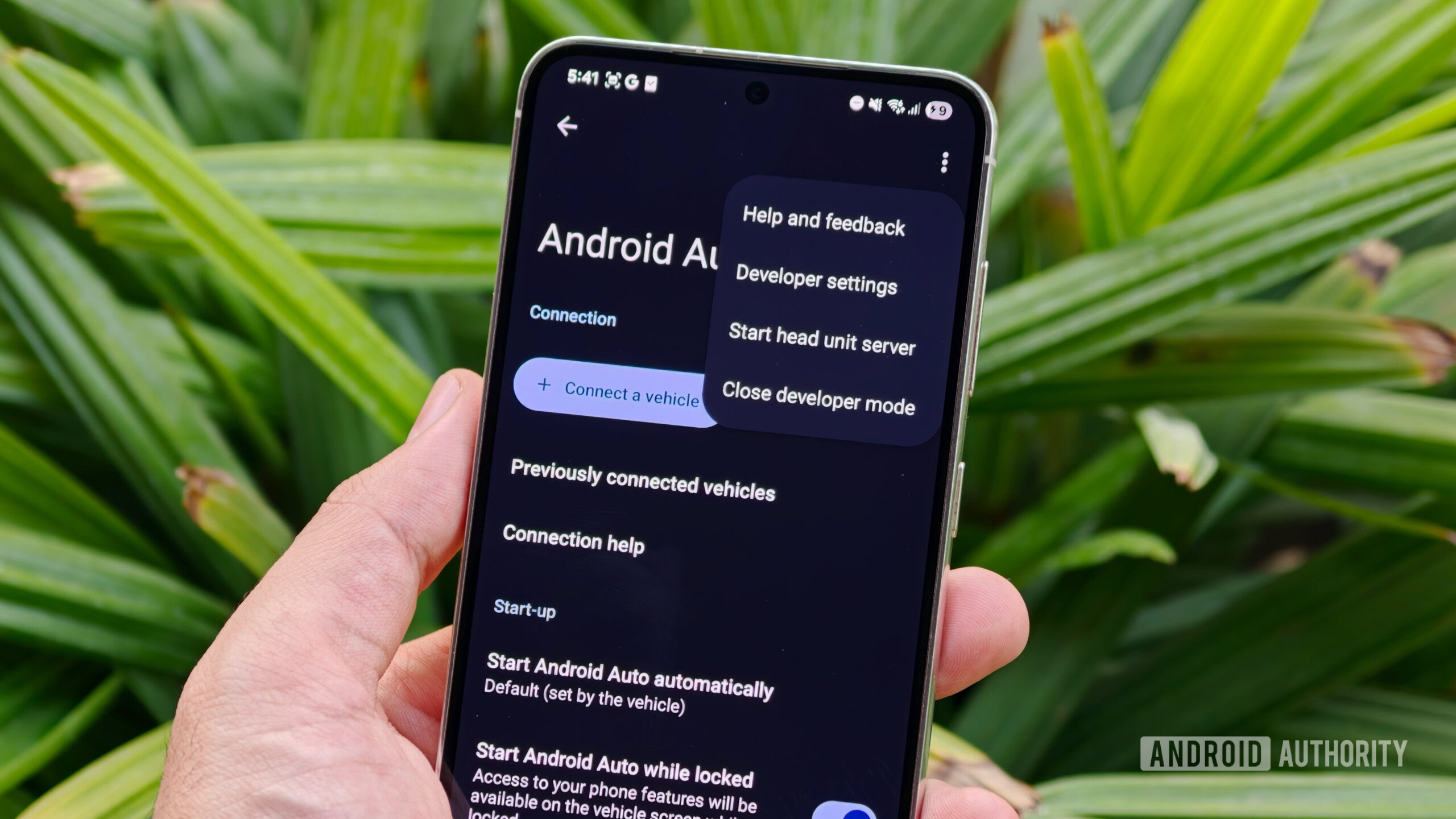
The process described by Android Authority has three main stages. First, enable the phone’s Developer options by tapping the Android build number repeatedly in Settings. Second, open Android Auto’s app settings, go into the additional in-app settings, and unlock Android Auto’s own developer menu by repeatedly tapping the version and permissions section. Third, open Android Auto developer settings and enable unknown sources.
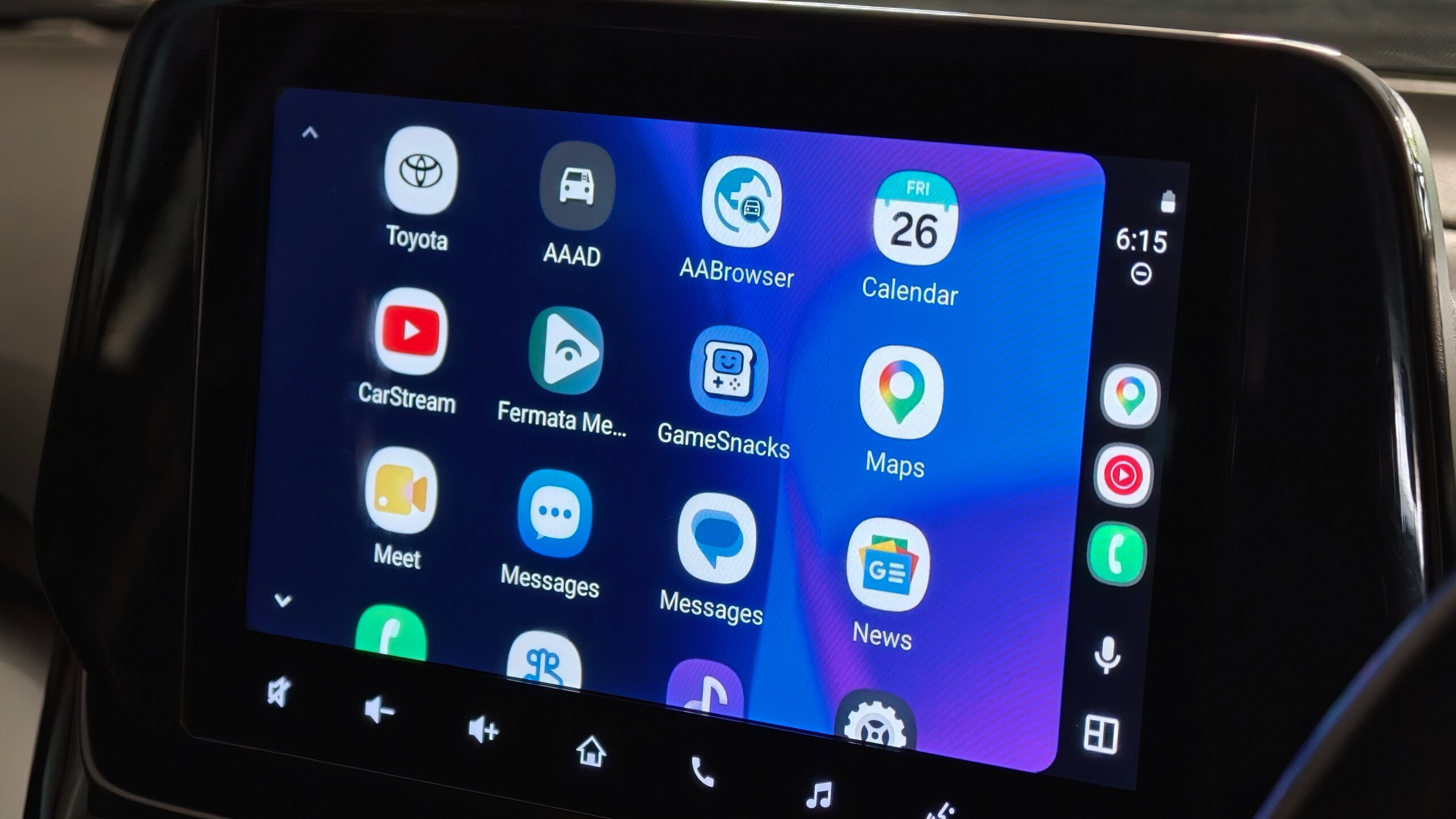
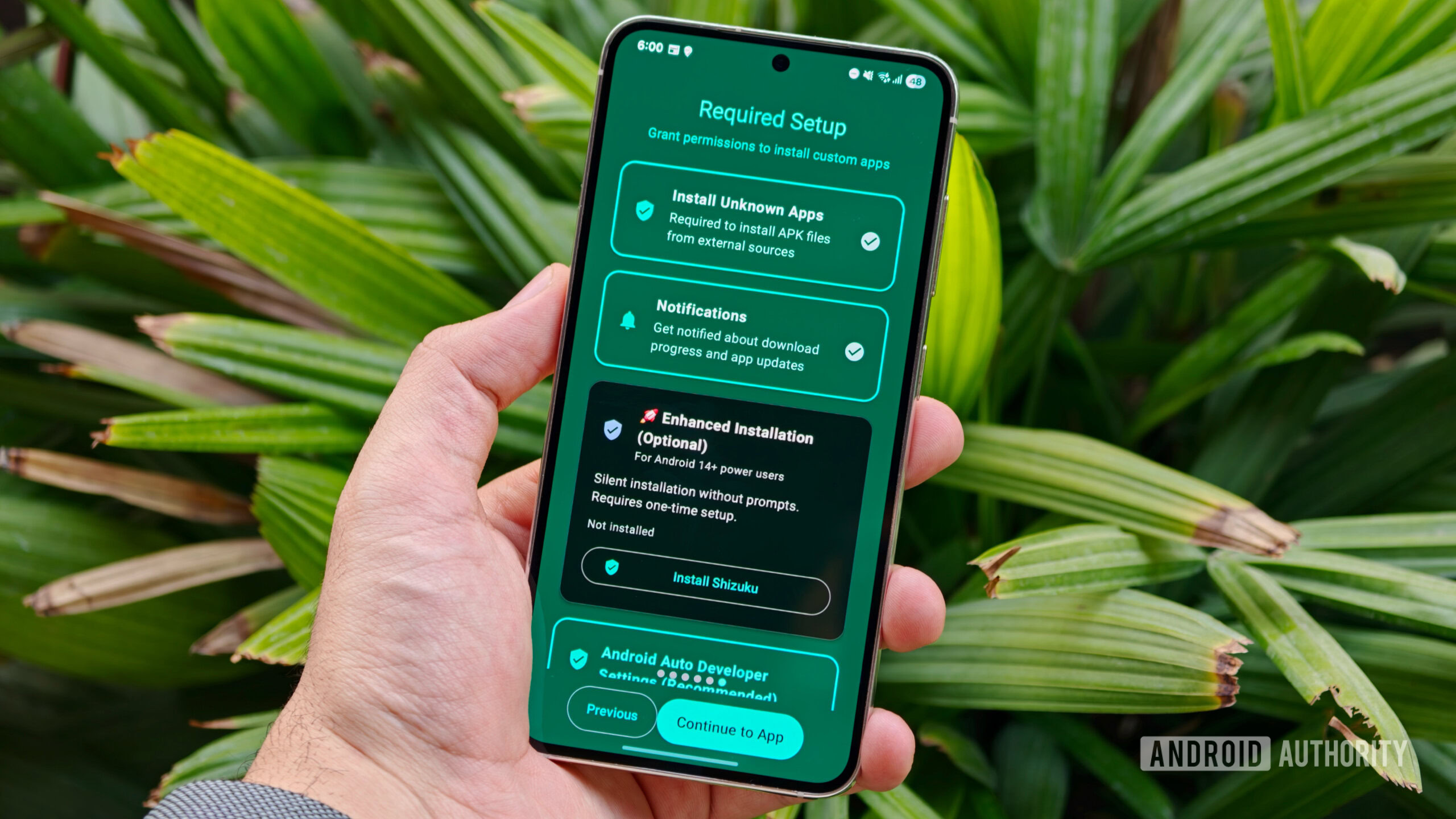
Then comes AAAD, Android Auto Apps Downloader, an unofficial storefront-style tool that is not distributed through Google Play. If you decide to test it, download it only from the official AAAD GitHub releases page, not from random APK mirrors. The latest release checked here is v2.8.5, published on June 17, 2026, with changes around dependencies, Shizuku installation, Google account handling and Android Auto metadata.
Compatibility and limits
Compatibility is the part worth reading twice. Android Authority notes known issues on some Pixel, OnePlus, Realme and Oppo devices, with alternative paths suggested by the developer. In practice, there is no universal guarantee: Android version, Android Auto version, OEM policy, security patch level and the car unit itself can all change the result.
Some unofficial apps enable video playback, screen mirroring or a browser on the car display. AndroidLab’s take is simple: using media features while parked is one thing; building a permanent distraction in front of the driver is another. If an app bypasses a limit meant for driving, you have not found a magic feature. You have found an operational risk with a nicer icon.
Common problems and reasonable fixes
If the app does not appear in Android Auto, first check that it is installed on the phone, Android Auto is updated, the Android Auto developer menu is actually unlocked, and unknown sources are enabled. If the phone-to-car connection is unreliable, try another USB cable and another port before blaming AAAD. Google itself lists the cable as one of the most common Android Auto failure points.
If Android blocks the APK installation, check which app is trying to install the file and whether Android allows that source to install packages. After testing, disable that permission again if you no longer need it. If your setup requires Shizuku or device-specific workarounds, slow down: this is no longer a casual toggle, it is a modification that deserves backups and a clear rollback plan.
What actually changes
The fresh angle is not that Android Auto has suddenly become an open platform. It is almost the reverse: sideloading shows there is real demand for apps Google does not approve for the dashboard, but it also confirms why the car environment is treated differently from regular Android. For tinkerers, AAAD can be an interesting lab test. For people who just want reliable navigation, music and messages, the practical advice is to stay with official apps and avoid turning the dashboard into an experiment while driving.
In brief
- Android Auto sideloading requires developer menus and unknown sources.
- AAAD should only be downloaded from its official GitHub releases, not APK mirrors.
- Google restricts car apps through supported categories and driver-distraction requirements.
- Pixel, OnePlus, Realme and Oppo devices may need workarounds or behave differently.
- Before testing unofficial apps, check cable, car compatibility, Android Auto version and updates.
- Video, mirroring and browser apps should be treated as parked-use features, not driving tools.