If Android Auto over USB stops launching while your phone is locked, the cable is not automatically guilty. The fresh detail reported by Android Authority is more specific: a future Android Auto build is preparing clearer text and notifications for a conflict with Advanced Protection, Google’s high-security mode for users at elevated risk of targeted attacks.
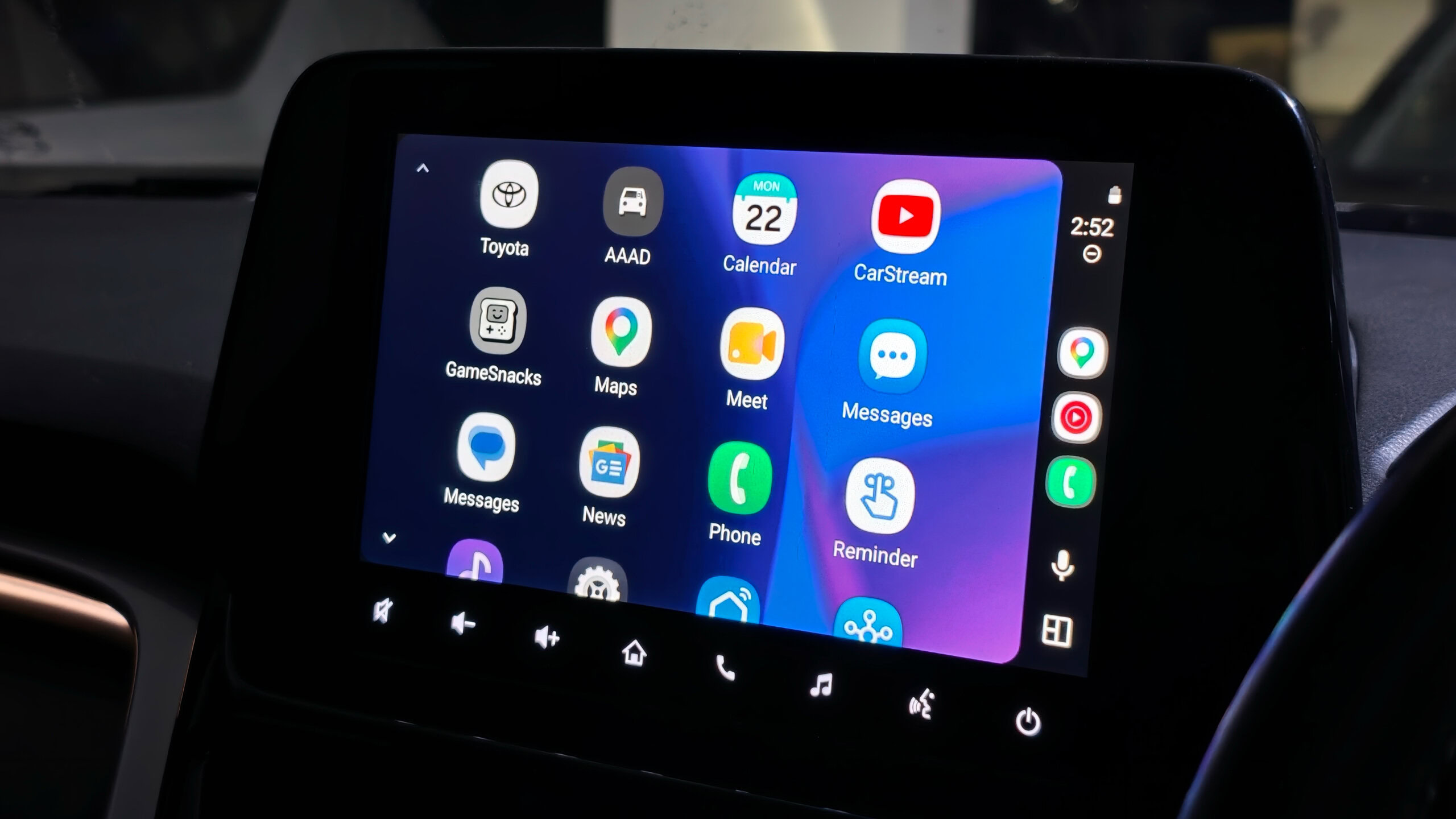
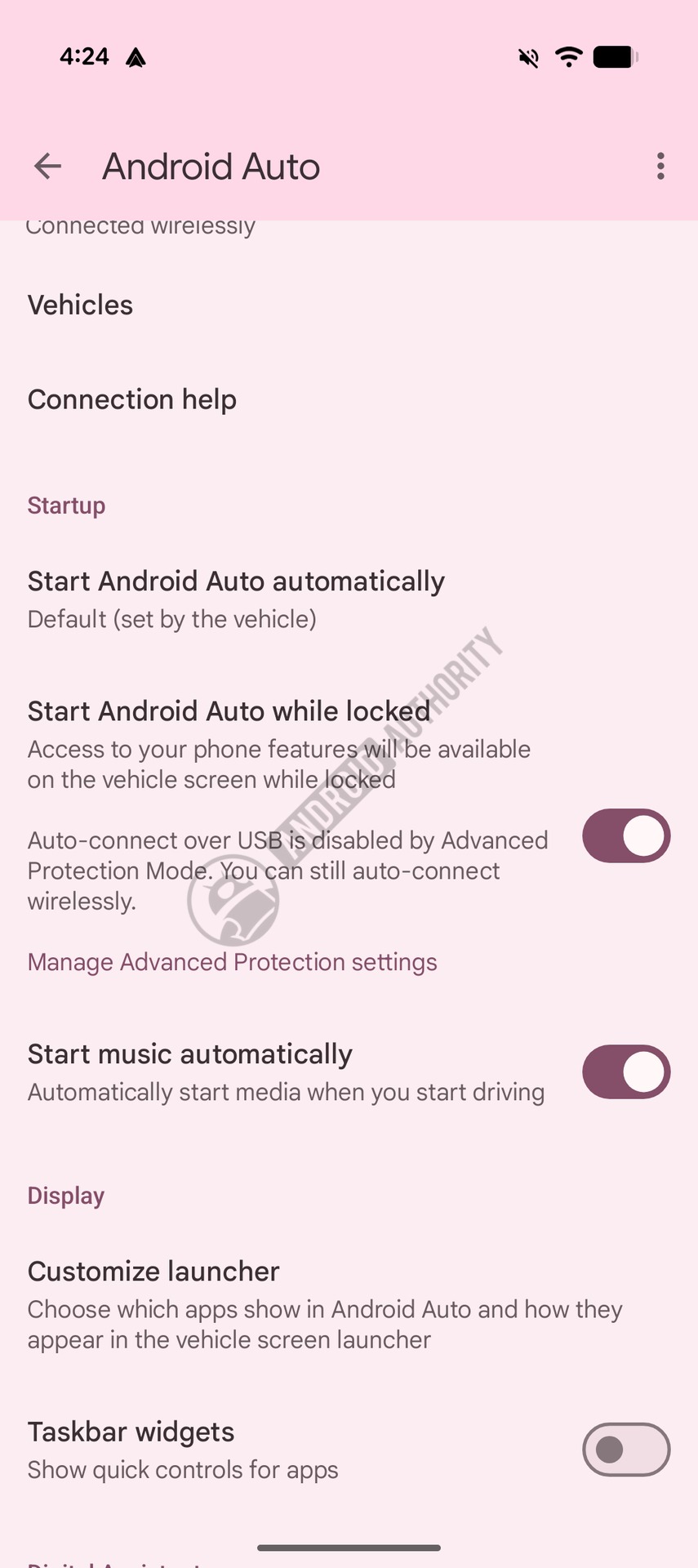

The practical scenario is simple: the “start Android Auto while locked” option may be enabled, yet the wired connection still does not start until you unlock the phone. According to an Android Auto 17.2.662614 teardown, Google is preparing wording that explains the reason more clearly: with Advanced Protection enabled, USB data access can be restricted while the device is locked. Security-wise, that is reasonable. From the driver’s seat, without an explanation, it looks exactly like a broken cable or a flaky car system.
When this guide applies
This is worth checking if Android Auto used to work, your cable has not changed, and the issue appears only when the phone is locked. The cleanest signal is this: unlock the phone, reconnect or approve the session, and Android Auto appears on the car display. If it never works, even with the phone unlocked, the likely causes are still the usual suspects: USB cable, car port, infotainment compatibility, Android Auto update, or Google Play Services behavior.
Check these requirements first:
- an Android phone with Android Auto integrated;
- a car or head unit that supports wired Android Auto;
- a real USB data cable, not a charge-only cable;
- updated Android Auto and Google Play Services;
- possible Google Advanced Protection enrollment on the account or device.
Quick diagnostic procedure
The useful test is boring, which is exactly why it works: separate security policy from hardware failure. First, connect the phone while it is already unlocked. If Android Auto starts, the physical connection is probably fine. Then lock the phone, unplug the cable, and plug it in again. If Android Auto now refuses to start until you unlock the device, USB protection becomes the prime suspect.
Run the checks in this order:
- open Android Auto settings on the phone;
- check the option that allows Android Auto to start while the phone is locked;
- verify whether Advanced Protection is enabled on the device or Google Account;
- try a USB connection with the phone unlocked;
- repeat with the phone locked and watch for any Advanced Protection warning or wording;
- if available, test wireless Android Auto: the wording shown in the teardown points specifically to USB auto-connect.
What not to do first
Do not start with a factory reset of the car system. If the root cause is a security policy, resetting half your setup is just superstition with a progress bar. Change one variable at a time: locked versus unlocked phone, different USB cable, different car port, Advanced Protection on or off where appropriate.
Google’s Advanced Protection documentation makes the broader purpose clear: it is designed for stronger account security, with tighter checks around sign-in, apps, downloads, and account access. That is the key point: this is not a performance mode. It is security before convenience. If the phone blocks USB data while locked, Android Auto has to explain the conflict instead of leaving users to blame the car.
What actually changes
For users, the real change is diagnostic. When wired Android Auto does not start, the checklist can no longer stop at “try another cable” and “clear cache.” It needs one more question: is the phone blocking USB data because a stricter protection mode is active? That small step can save a lot of wasted time, especially on Pixel and newer Android devices used with hardened security settings.
The AndroidLab reading is blunt: Google may be doing the right thing on security, but the interface is catching up late. A silent USB block in a car is almost designed to create bad troubleshooting. If this wording reaches stable builds, the value will not be a flashy feature. It will be a clearer message: “this is not broken, it is blocked by policy.” In 2026, telling bugs apart from security choices is still half the job.
Practical fixes and limits
If Android Auto starts only after unlocking the phone, use that as the immediate workaround: unlock first, connect the cable, and let Android Auto initialize. If your car supports wireless Android Auto, you can test it, but do not assume it will be better; wireless mode can trade one clear USB issue for radio, battery, and heat problems.
If you genuinely need Advanced Protection, do not disable it just to make car startup smoother. It is intended for journalists, administrators, public figures, activists, and accounts holding sensitive data. In those cases, security wins. If you enabled it out of curiosity and do not have that risk profile, review whether the extra restrictions are worth the friction.
If Android Auto never starts, even with the phone unlocked, go back to classic troubleshooting: use a known data cable, try another USB port, restart the phone, update the apps, remove the car from Android Auto settings, and pair it again. For heat, lag, and slow sessions, AndroidLab already has a related guide: Android Auto lag troubleshooting before you reset everything.
In short
- Advanced Protection can interfere with wired Android Auto startup while the phone is locked.
- That does not automatically mean the cable, USB port, or car system is broken.
- The key test is comparing startup with the phone unlocked and locked.
- Do not disable important security protections just for convenience without understanding the trade-off.
- If Android Auto never starts, continue with standard cable, port, app, and head-unit troubleshooting.