Google Messages is moving another piece of the Android texting experience away from “default app you tolerate” and closer to “app you can actually make yours.” The fresh signal is the wider beta rollout of Chat themes: per-conversation backgrounds, colors and, in some builds, custom photos inside individual threads.
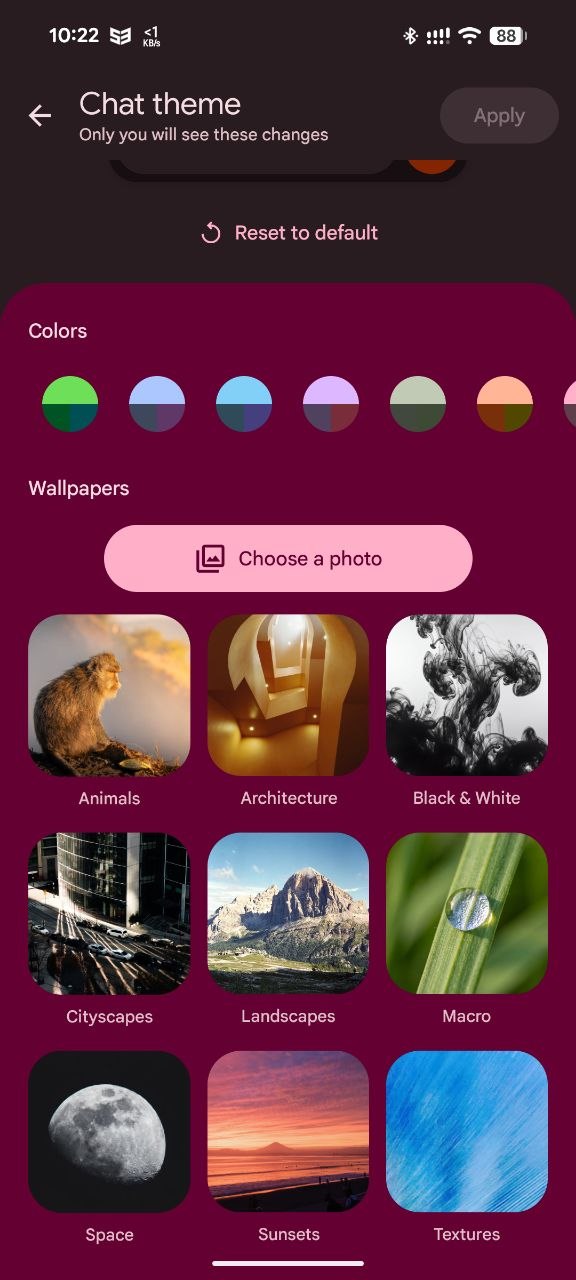
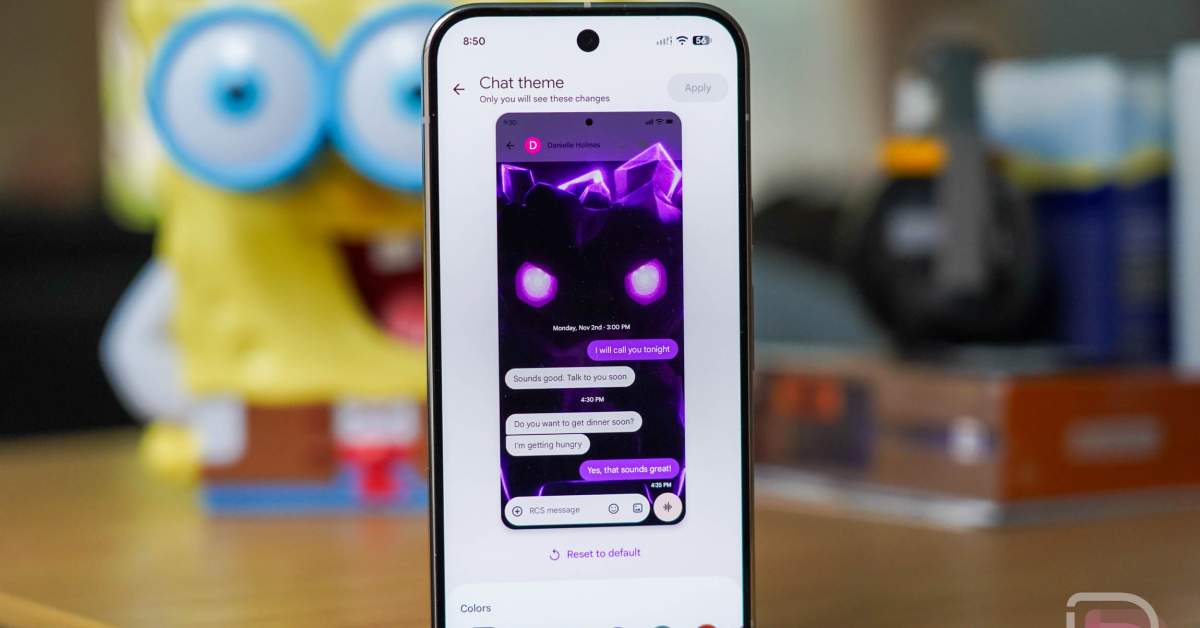
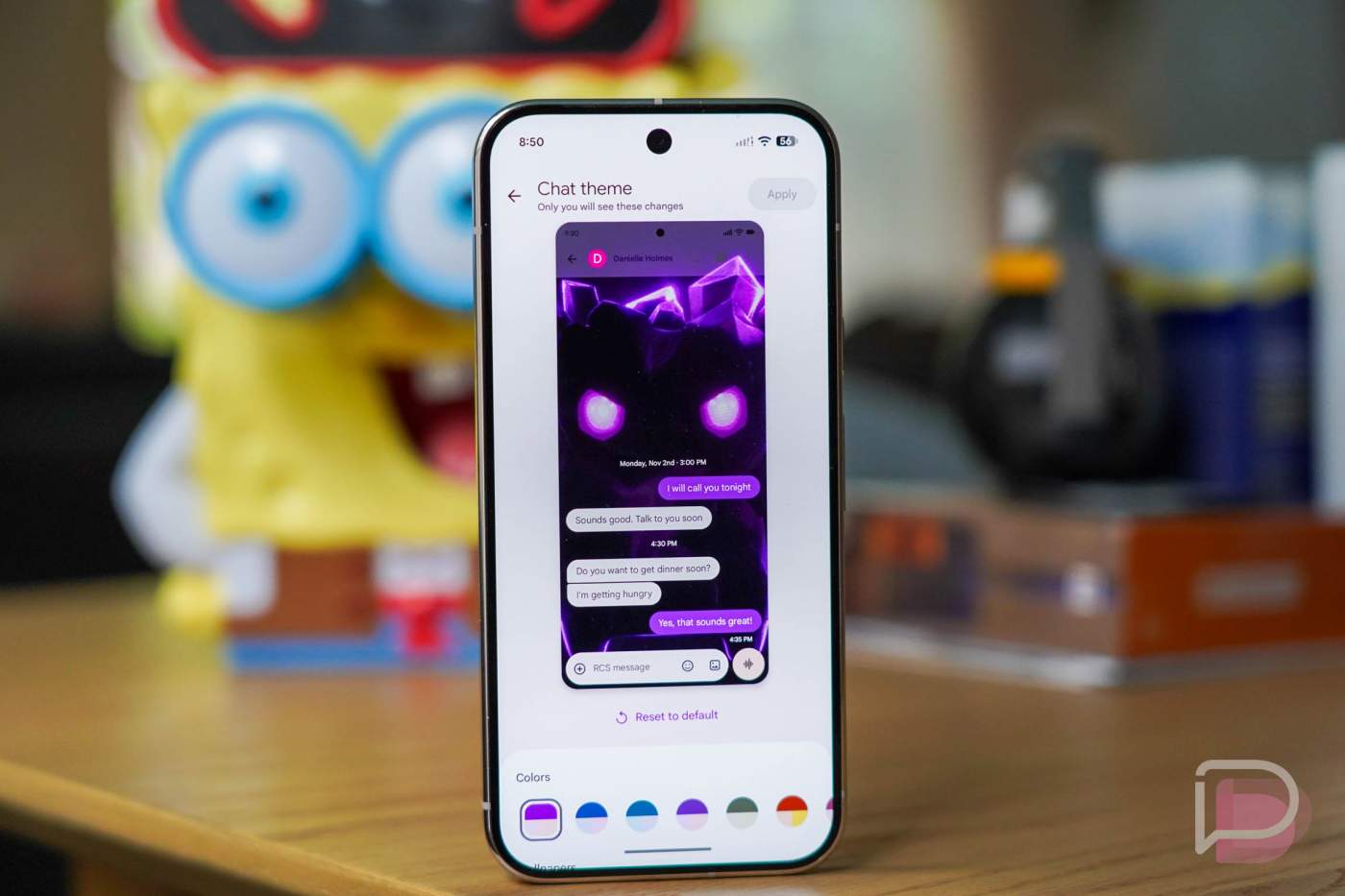
The useful part is not that your RCS bubbles can look prettier. The useful part is that Google is finally addressing one of the gaps that made many Galaxy owners grumble after Samsung started pushing users toward Google Messages. Samsung Messages had stronger visual personalization for years; Google’s app had RCS, web support, spam protection and carrier momentum, but it often felt oddly rigid. Chat themes reduce that friction, provided you understand the rollout limits.
9to5Google’s June 27 feature tracker lists the current Google Messages changes as part of a broader batch of active rollouts and tests, while Android Authority spotted the custom wallpaper option appearing for a limited group of beta users on June 24. Droid Life then reported on June 26 that the feature appeared to be much easier to trigger for people enrolled in the Google Messages beta program. In plain English: this is real, but still server-side. Updating the app is necessary; it is not a magic button.
How to check if Chat themes are available
Start with the official app listing, because this is an app feature, not a full Android system update. Open Google Messages on the Play Store, install any available update, then open the app and choose a conversation. Tap the three-dot menu in the top-right corner and look for Chat theme. If you only see the older color controls, or no theme entry at all, your account or device probably has not been enabled yet.
If you want to test early, you can try joining the Google Messages beta from the Play Store listing. After enrollment, update the app again, force-close Google Messages from Android’s recent-apps screen, and reopen it. Droid Life reports that this reopen step has helped some beta users surface the menu. Treat that as a practical workaround, not a guarantee: Google often gates Messages features by account, region, device class and backend flags.
Once the option appears, the expected path is simple: open a thread, choose Chat theme, pick a color and background, or choose your own photo if that option is available in your build. Apply it, then check the same thread again. The important detail is that themes are conversation-level, so changing one chat should not necessarily repaint your whole inbox.
What really changes
The real change is trust in the migration path. Google Messages is becoming the default RCS client for a very large part of the Android world, especially on Samsung phones. That makes small quality-of-life details more important than they look on a changelog. If users are being moved from a familiar Samsung app to Google’s RCS stack, the replacement cannot feel like a downgrade forever. Custom themes are not infrastructure, but they help the app feel less like a carrier utility bolted to Android.
There is also a privacy and usability angle. Letting people set a distinct visual background for important chats can reduce mistakes when switching quickly between similar conversations. That sounds minor until you have work, family and two-factor messages landing in the same app. The Lab reading is boring but useful: visual differentiation is a safety feature when implemented cleanly. Marketing departments may call it personalization; real users call it “not sending the wrong thing to the wrong thread.”
If the option is missing
Do not uninstall your messaging setup in panic mode. First, update Google Messages from the Play Store. Second, check whether you are on the beta or stable channel. Third, force-close and reopen the app. Fourth, wait. If your device is managed by work policy, carrier firmware, or a regional build with slower Google feature flags, the menu may arrive later. Also remember that beta builds can be uneven: a feature appearing for one Pixel or Galaxy user does not mean every Android phone gets it the same evening.
AndroidLab’s practical advice is to avoid APK mirror roulette for a messaging app. Google Messages handles SMS, RCS, spam protection, device pairing and end-to-end encrypted conversations where supported. For this specific feature, the clean path is Play Store update, beta if you accept beta risk, and patience if the server-side flag has not reached you yet.
In brief
- Google Messages Chat themes are rolling out to some users, with stronger availability reported in the beta channel.
- The feature lets users customize individual conversations with colors, wallpapers and, in some builds, personal photos.
- At least one fresh source was published on June 27, 2026, and the Play Store listing was updated on June 25, 2026.
- If the menu is missing, update the app, force-close it, consider the beta channel, then wait for Google’s server-side rollout.
- Use the official Google Messages Play Store page; avoid unofficial APKs for a core messaging app.