Moto Tag 2 is reaching the US with a spec sheet that matters for Android users: Google Find Hub support, UWB, Bluetooth 6.0 and a claimed battery life above 500 days. The useful question is not whether it is “an AirTag for Android”, because that line has been cooked to death. The useful question is whether your phone can actually use the advanced tracking features, or whether you will mostly get a standard Bluetooth tracker with a nicer badge.
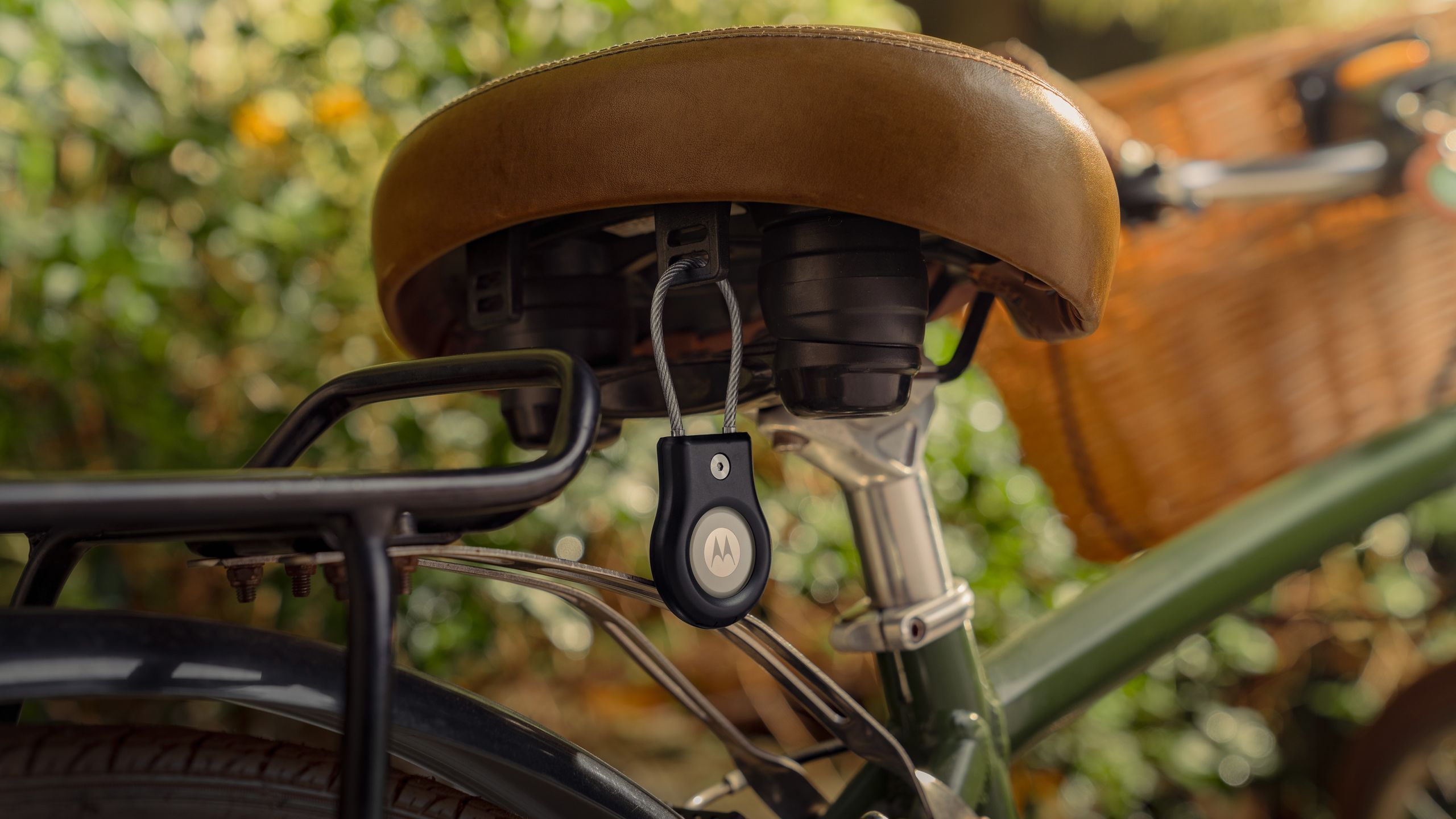
Android Central reports the North American launch of Motorola’s new tracker, while 9to5Google lists a $19.99 launch price, a regular $29.99 price and a four-pack at $69.99. Motorola.com is the first sales channel mentioned, with Amazon availability expected. Before buying one for keys, luggage or a bike, the practical checklist is simple: check Find Hub, UWB, Bluetooth version and Android version. Skip that step and you are basically buying hardware by vibes, which is never the best debugging strategy.
First check what your phone really supports
To use a Find Hub-compatible tracker, your Android phone needs a Google Account, Bluetooth and Location enabled, Google services in working order and Find Hub configured. Google’s own support page says some Find Hub steps require Android 14 or later, while UWB precision finding depends on both the tag and the phone. In plain terms: a recent Android phone may be able to see the tracker, ring it and use the Find Hub network, but still fail to provide close-range directional guidance.
The Moto Tag 2 adds a more specific compatibility layer: UWB plus Bluetooth 6.0. According to 9to5Google, its channel sounding features need a phone with Bluetooth 6.0 and Android 16. The examples listed include the Pixel 10 series, Galaxy S26 and Motorola Razr Fold, while some 2026 Razr flip phones reportedly lack Bluetooth 6.0. So the pre-purchase check is not “does my phone run Android?” but “does my phone support UWB, Bluetooth 6.0 and the relevant Android update path?”
Pre-purchase checklist
- Open your phone’s official specs and search for “UWB” or “Ultra Wideband”. If it is missing, expect basic tracking without precise directional guidance.
- Check the Bluetooth version. For Moto Tag 2’s newer tracking layer, the key reference is Bluetooth 6.0, not generic Bluetooth LE support.
- Check the Android update path. If the phone will not reach Android 16, some advanced features may never arrive.
- Verify Google settings: active account, updated Google Play services, Bluetooth, Location and Find Hub enabled.
- For travel, bags or bikes, look at the physical attachment, IP68 rating and replaceable CR2032 battery. A lost tracker because the mount was poor is not a software problem, unfortunately.
How to set it up without mixing up features
Treat the tag first as a Find Hub device, then as a Motorola accessory. Bring it close to the phone, follow the pairing prompt if it appears, give the item a clear name and choose a useful category such as keys, backpack, luggage or bike. Then open Find Hub and confirm that the tag appears in your device list. Only after that should you test extras such as the button for finding your phone or remote camera control where supported.
The distinction matters. The Find Hub network helps locate an item when it is not nearby by using surrounding Android devices in an encrypted way. Precision finding helps when you are already close and need directional guidance. Without UWB on the phone, Moto Tag 2 is not useless, but the most interesting part of the experience is missing.
Common problems and fixes to try
If the tag does not appear, restart Bluetooth, check that the phone is using the intended main Google Account and update Google Play services. If the tag appears but precise guidance is missing, look for UWB in the phone settings: on some phones it is separate from Bluetooth and Location. If the location looks stale, the issue may simply be Find Hub network density. A tag in a low-traffic area will be detected less often. Physics remains undefeated, despite marketing departments’ best efforts.
Also watch for work profiles and managed phones. MDM policies, location restrictions and account rules can limit tracker features. Before resetting everything, test with a personal profile if possible and separate an account-policy issue from a hardware issue.
What actually changes
Moto Tag 2 is interesting because Android trackers are becoming more practical: 500-day battery life, IP68, UWB and Find Hub integration are the right ingredients for a tag that should disappear into everyday use instead of becoming another weekly maintenance task. But the real value depends on your phone. Without UWB or the right software stack, it remains a good Bluetooth tracker; with compatible hardware, it becomes far more useful for bags, keys and expensive everyday items.
For the broader Google network context, AndroidLab’s related guide to Google Find Hub on Android covers the checks, limits and trust questions behind the system.
In short
- Moto Tag 2 is a Find Hub tracker with UWB, Bluetooth 6.0, IP68 and a replaceable CR2032 battery rated above 500 days.
- Precision finding requires UWB on the phone; newer Bluetooth features depend on Bluetooth 6.0 and Android 16.
- Before buying, check phone specs, Android updates, UWB settings, Bluetooth, Location and Find Hub.
- If your phone lacks UWB, the tracker can still work but loses close-range directional guidance.
- For real use, the mount, market availability and battery replacement matter as much as the radio specs.