
On this page
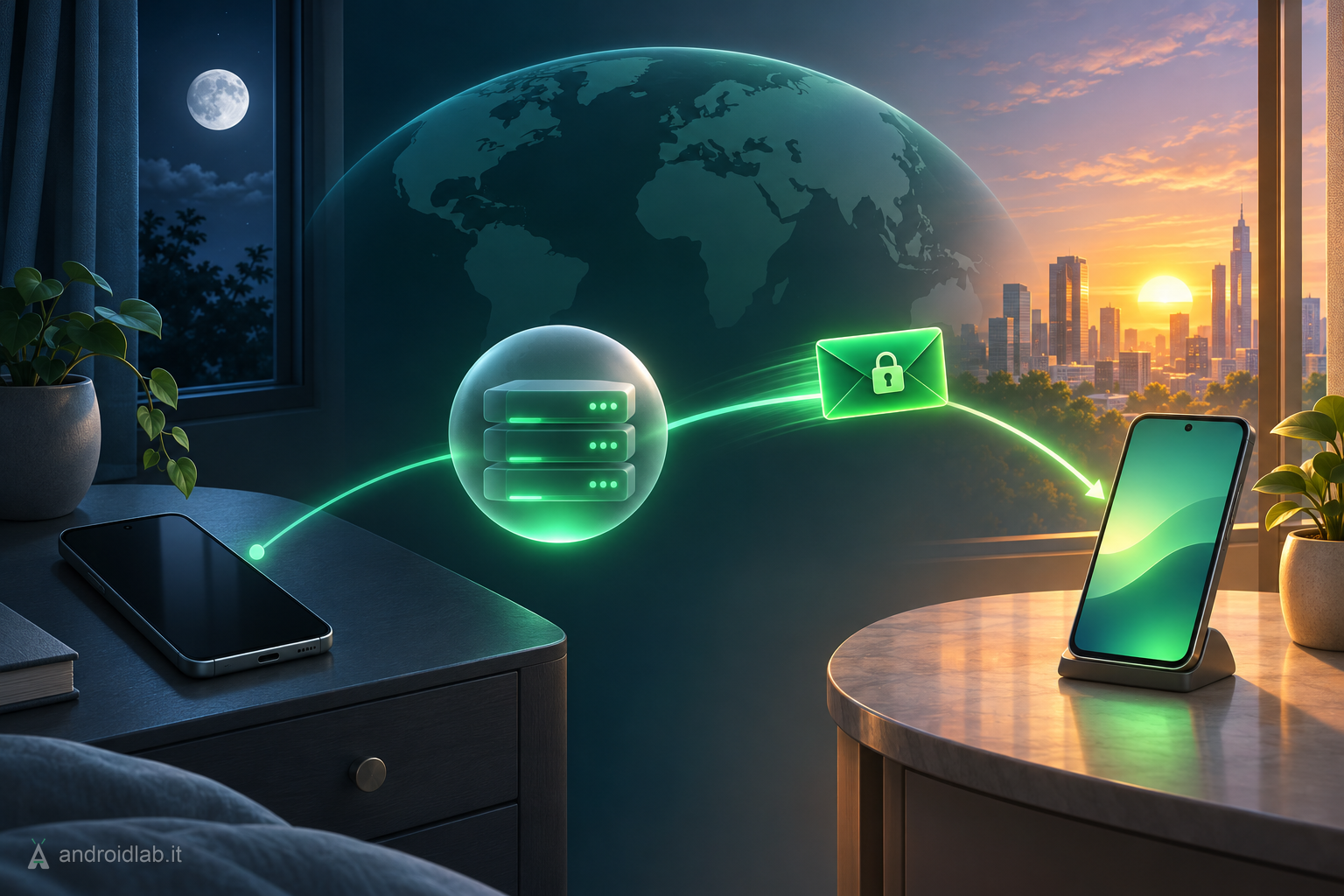
WhatsApp is finally rolling out native scheduled messages on Android and iOS, closing one of the longest-standing gaps between Meta’s messaging app and rivals like Google Messages, Telegram, and Signal. Announced on November 25, 2026 on the official WhatsApp blog, the feature lets you draft a message now and deliver it anywhere from 10 minutes to 14 days later in both one-on-one and group chats.
The catch is that availability itself is staged. WhatsApp says scheduled messages are rolling out globally over the coming weeks, so updating the app from the Google Play Store is necessary, though a server-side flag still controls when the option appears on your account.
How to schedule a message on WhatsApp
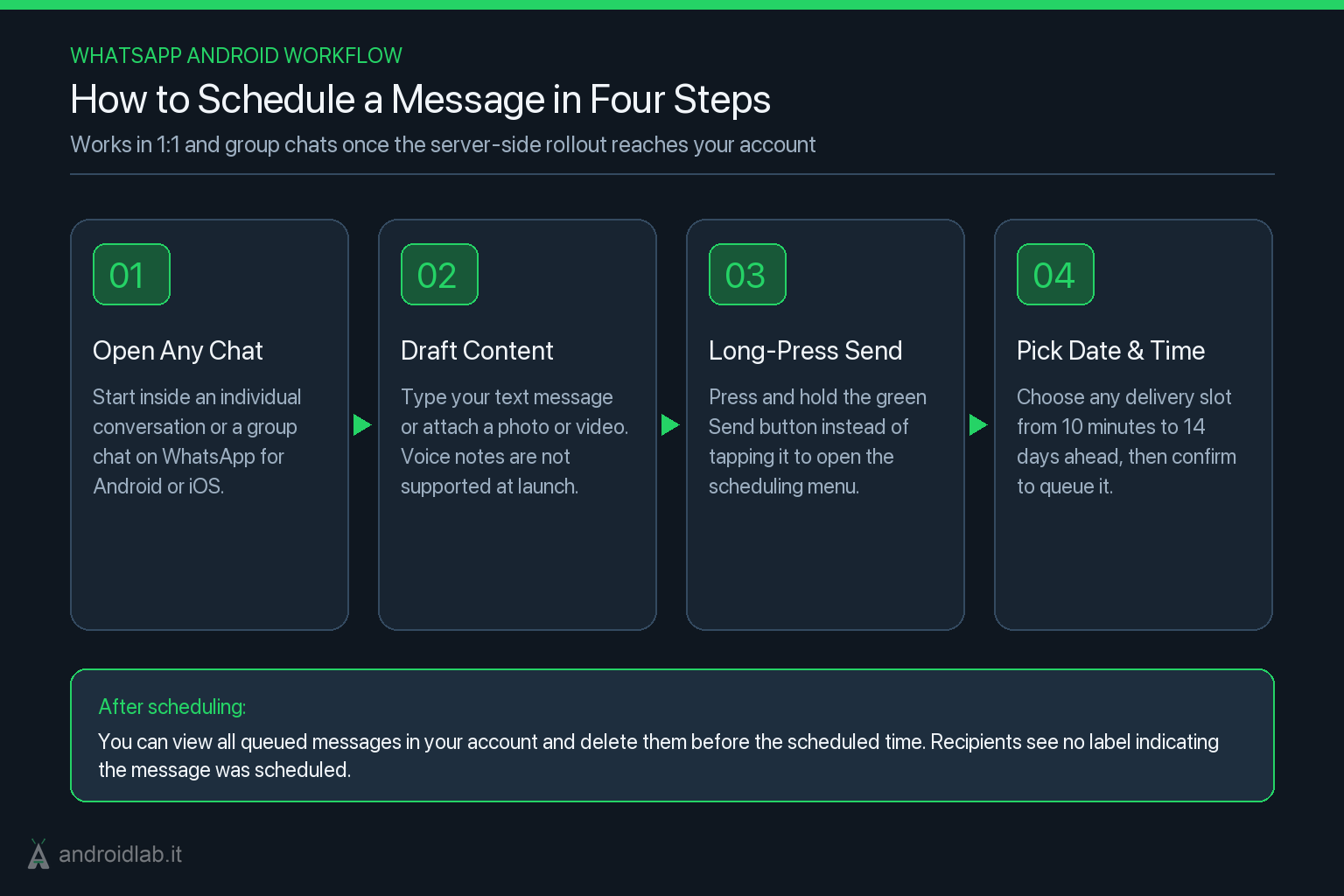
Once the rollout reaches your account, scheduling does not require a separate menu or hidden chat setting. The workflow is tied directly to the Send button inside any individual or group conversation:
- Open a one-on-one chat or a group chat in WhatsApp on Android.
- Compose your text message, or attach a photo or video as usual.
- Press and hold the Send button instead of tapping it.
- Choose the exact delivery date and time (between 10 minutes and 14 days ahead) and confirm.
WhatsApp confirms that recipients receive no visual label or notification indicating the message was scheduled in advance. From their perspective, it arrives like any ordinary message sent at that moment.
Offline delivery, encryption, and current limits
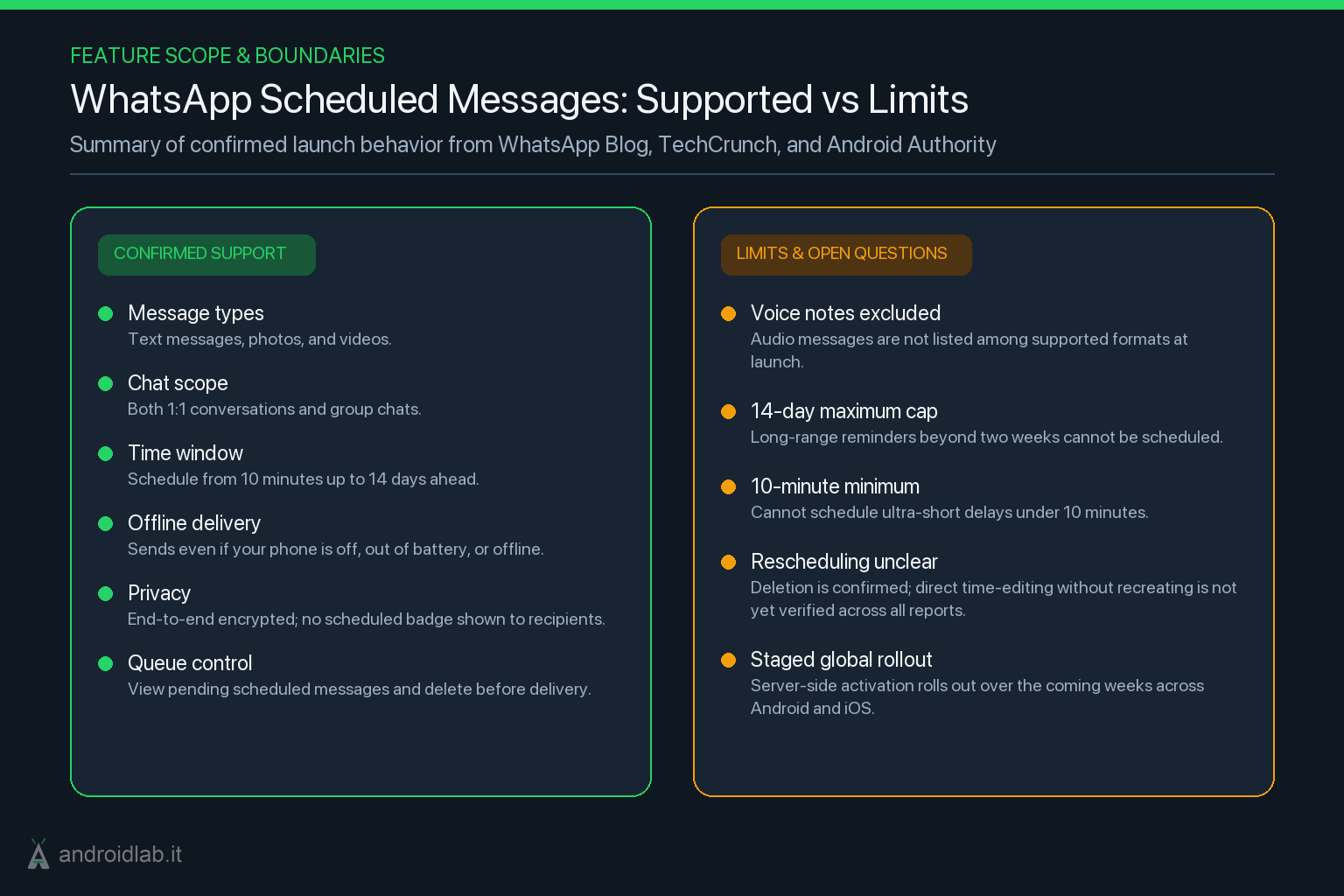
One practical detail sets this implementation apart from basic client-side workarounds: scheduled messages are delivered even if your phone is turned off, out of battery, or without network coverage when the scheduled time arrives. WhatsApp also states that scheduled messages remain end-to-end encrypted.
Before relying on the feature for daily coordination, there are clear boundaries to keep in mind:
- Supported formats: texts, photos, and videos work in both individual and group chats. Voice notes are not listed among the supported formats at launch.
- Scheduling window: the minimum lead time is 10 minutes and the maximum is 14 days. You cannot queue reminders a month in advance.
- Managing queued messages: WhatsApp lets you view all pending scheduled messages in your account and delete them before they are sent. While early coverage from 9to5Google mentions editing pending messages, TechCrunch notes it is not yet confirmed whether you can reschedule a queued message directly without deleting and recreating it.
- No recipient indicator: there is no badge showing the other person that a message was queued earlier.
How WhatsApp compares to Google Messages, Telegram, and Signal
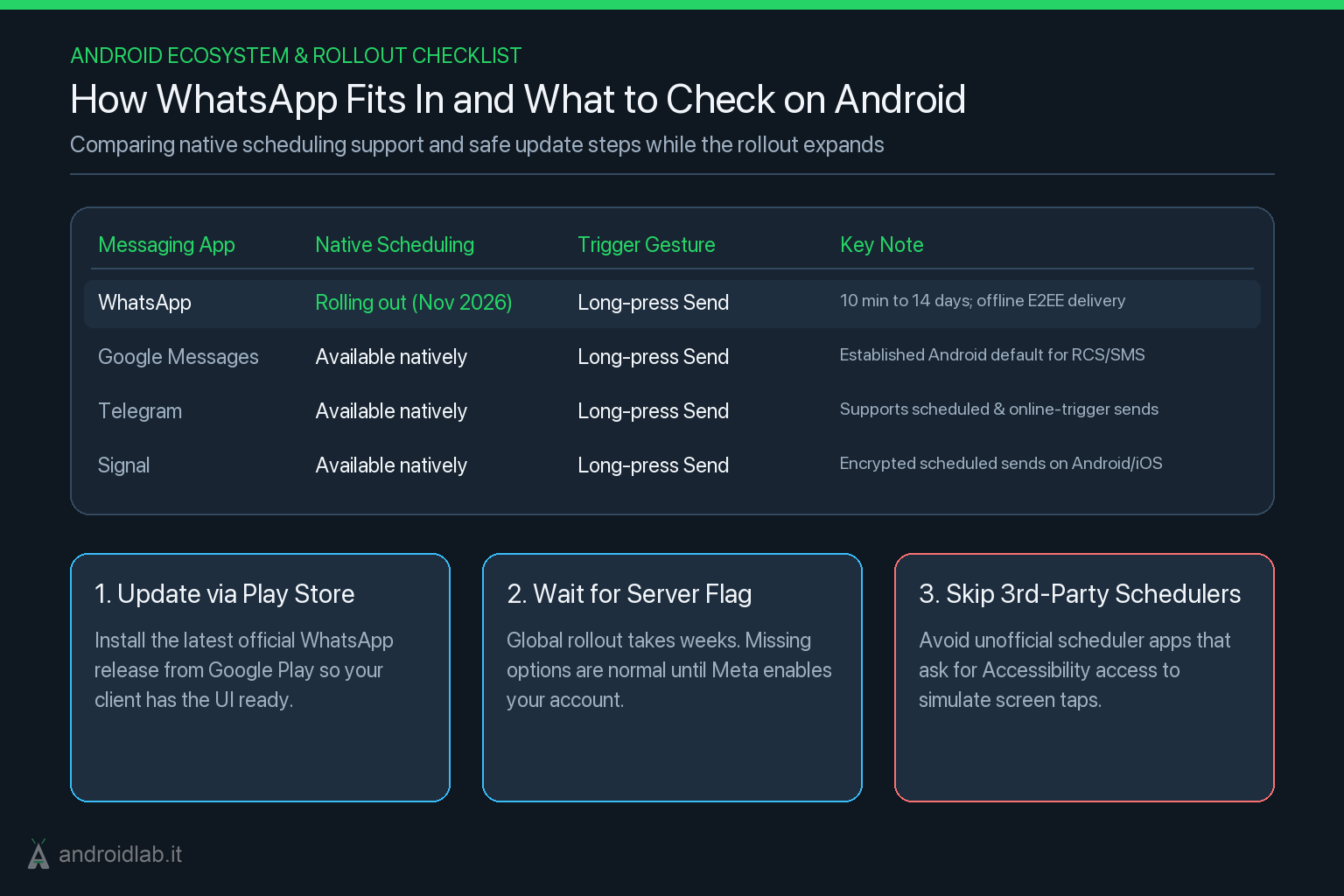
On Android, scheduled sending is hardly new. Google Messages has offered it for years through the same long-press gesture on the Send button, while Telegram and Signal also support delayed delivery. The difference is reach: in markets where WhatsApp is the default messaging layer for family chats, small businesses, and cross-border teams, users previously had to fall back on third-party automation tools, accessibility workarounds, or manual reminders.
A 14-day ceiling is narrower than what calendar-style reminders or some competing apps allow, yet it covers the most common everyday scenarios: messaging colleagues in another time zone without waking them up, queueing birthday greetings, or sending travel check-ins before boarding a flight where connectivity drops.
What actually changes for Android users
In practical terms, native scheduling removes the main excuse for installing sketchy third-party “WhatsApp scheduler” apps from outside official channels, which often requested broad Accessibility permissions just to simulate taps on your screen. Built-in support with end-to-end encryption and offline delivery is cleaner, safer, and far more reliable than any local automation hack.
It also continues a busy stretch of infrastructure updates for WhatsApp on Android, following its recent test of built-in cloud backups independent of Google Drive (covered in our related AndroidLab report in Italian). If the long-press menu does not appear on your device yet, do not sideload unofficial builds: keep WhatsApp updated via the official Google Play Store listing and wait for the server-side rollout to complete over the coming weeks.
In brief
- WhatsApp announced native scheduled messages on November 25, 2026 for both Android and iOS, rolling out globally over the coming weeks.
- You can schedule texts, photos, and videos in 1:1 and group chats between 10 minutes and 14 days ahead by long-pressing the Send button.
- Scheduled messages stay end-to-end encrypted, show no indicator to recipients, and send even if your phone is powered off or offline.
- Voice notes are not supported at launch; you can review and delete pending messages before delivery.
- Update through the official Google Play Store and avoid third-party scheduler apps while waiting for the staged rollout.
- WhatsApp Blog – Say it at the right time with scheduled messages (November 25, 2026)
- TechCrunch – WhatsApp now lets you schedule messages in group and individual chats (November 25, 2026)
- Android Authority – WhatsApp catches up to Google Messages with scheduling for texts, photos, and videos (November 25, 2026)
- 9to5Google – WhatsApp officially adds scheduled messages, and the rollout is scheduled too (November 25, 2026)
- Google Play Store – WhatsApp Messenger (official download)