Google Wallet is making one of its quietest screens more useful: transaction history. According to 9to5Google, the Android app can now show contactless payments made from a Wear OS watch, with the details page indicating when a purchase was made on the watch. It is not a dramatic new feature, but it solves a very practical problem: when a charge appears later, you can tell whether it came from your phone, your smartwatch, or the physical card still sitting in your wallet.
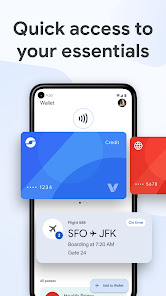
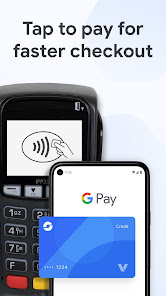
The useful part is transaction reconstruction. If you pay from your wrist, you can check the result from your phone instead of digging through Wallet on the watch. There are limits, though. 9to5Google notes that Wallet still shows a short history, with the familiar 10-transaction limit for each payment method, and availability may depend on rollout timing, app version, country, bank support, and whether Wallet payments are supported on your Wear OS device.
Requirements to check first
Start with the basics before hunting for the new label. You need an Android phone with Google Wallet installed and updated, a Wear OS watch configured for contactless payments, and a compatible card. Google’s support page reminds users that contactless payments on a phone require NFC, while smartwatch payments also depend on availability in your country or region. In plain terms: if a card works on the phone but not on the watch, Wallet is not automatically broken. Your bank or card issuer may simply not support the wearable path.
Use this quick checklist:
- update Google Wallet from the Play Store;
- make sure your Wear OS watch has screen lock enabled and NFC payments configured;
- check whether the card is supported on both phone and smartwatch;
- make a small real-world payment with the watch, then wait a few minutes before checking the phone;
- if you use multiple Google accounts, confirm you are viewing the same profile used for Wallet.
How to check Wear OS payments from your phone
The exact interface can shift during rollout, but the logic is straightforward: open Google Wallet on the Android phone, choose the card used for the payment, and review the transaction history for that payment method. The new behavior reported by 9to5Google is that Wallet can identify a transaction as being made on the watch, with wording such as “Purchase made on watch” under the date and time.
This is not a full receipt and it does not replace your bank statement. It is a device-level clue, useful when you need to understand where a contactless payment came from. That matters especially if the same card is available on both phone and watch, or if more than one Android device in your setup can pay.
If the watch payment does not appear, do not start with a full reset. Check these first:
- is the payment among the last ten transactions shown for that card?
- was the payment really made from the watch rather than the nearby phone?
- are Wallet on Android and Wallet on Wear OS both updated?
- is this the same card token, not a card that was removed and added again?
- does the bank app show the charge while Wallet does not? If so, it may be a delay or provider-side limitation.
What actually changes
For everyday users, payment behavior does not change: tap and pay still works as before. For heavier Wallet users, this is a small but useful ergonomic fix. The watch is less of a separate island, because its payments can now appear in the phone app, which remains the natural place to manage cards, passes, and account-level checks.
The limitation is just as important: Google Wallet is not becoming a complete accounting ledger. With only ten visible transactions per payment method, it remains a fast troubleshooting view, not an archive. If you need formal proof, refunds, disputes, or detailed statements, the bank or card issuer is still the authoritative source.
The broader AndroidLab reading is that Wallet is becoming more of a personal dashboard and less of a simple tap-to-pay container. Orders from Gmail, passes, tickets, cards, and now watch-originated payment history all point in the same direction. Convenient, yes. But it also means users should understand which accounts, cards, and devices are feeding that dashboard.
Common problems and quick fixes
If a Wear OS payment does not show on the phone, wait before resetting the watch. Update the app, reopen Wallet, check the watch connection, and compare the movement against your banking app. A factory reset should be the last step, not the first ritual.
If Wallet shows the payment but the bank does not, trust the bank for accounting status. Wallet can help identify the device used, but authorization, settlement, and disputes live with the payment network and the card issuer. For duplicate charges, strange amounts, or suspicious activity, contact the issuer rather than clearing random caches.
If you often switch cards between phone and watch, clean up old payment methods where possible. Confusion usually starts when a card is replaced, re-added, or tokenized again: Wallet may still be behaving correctly, but the history can look fragmented from the user’s side.
Related: AndroidLab has also covered Google Wallet and Gmail order tracking, another example of Wallet moving from payment app to broader control panel.
In short
- Google Wallet on Android can now show payments made from a Wear OS smartwatch.
- The transaction details may indicate that the purchase was made on the watch.
- The practical limit remains short history: about ten visible transactions per payment method.
- You need updated apps, a compatible card, Wear OS payment support, and NFC properly configured.
- Wallet history is useful for quick checks, but the bank app remains the main accounting source.