The Nothing Ear 3a are not interesting only because they cost $99 or because the noise cancellation is stronger. The important part is more sensitive: the earbuds can save what you are hearing, record calls and meetings, then sync everything to the Nothing X app. That is useful, almost inevitable in the AI era, but it deserves a calmer reading than the usual product-launch applause. When earbuds become a recorder you can trigger with a gesture, the real question is not just “does it work?” but “when should you use it?”.
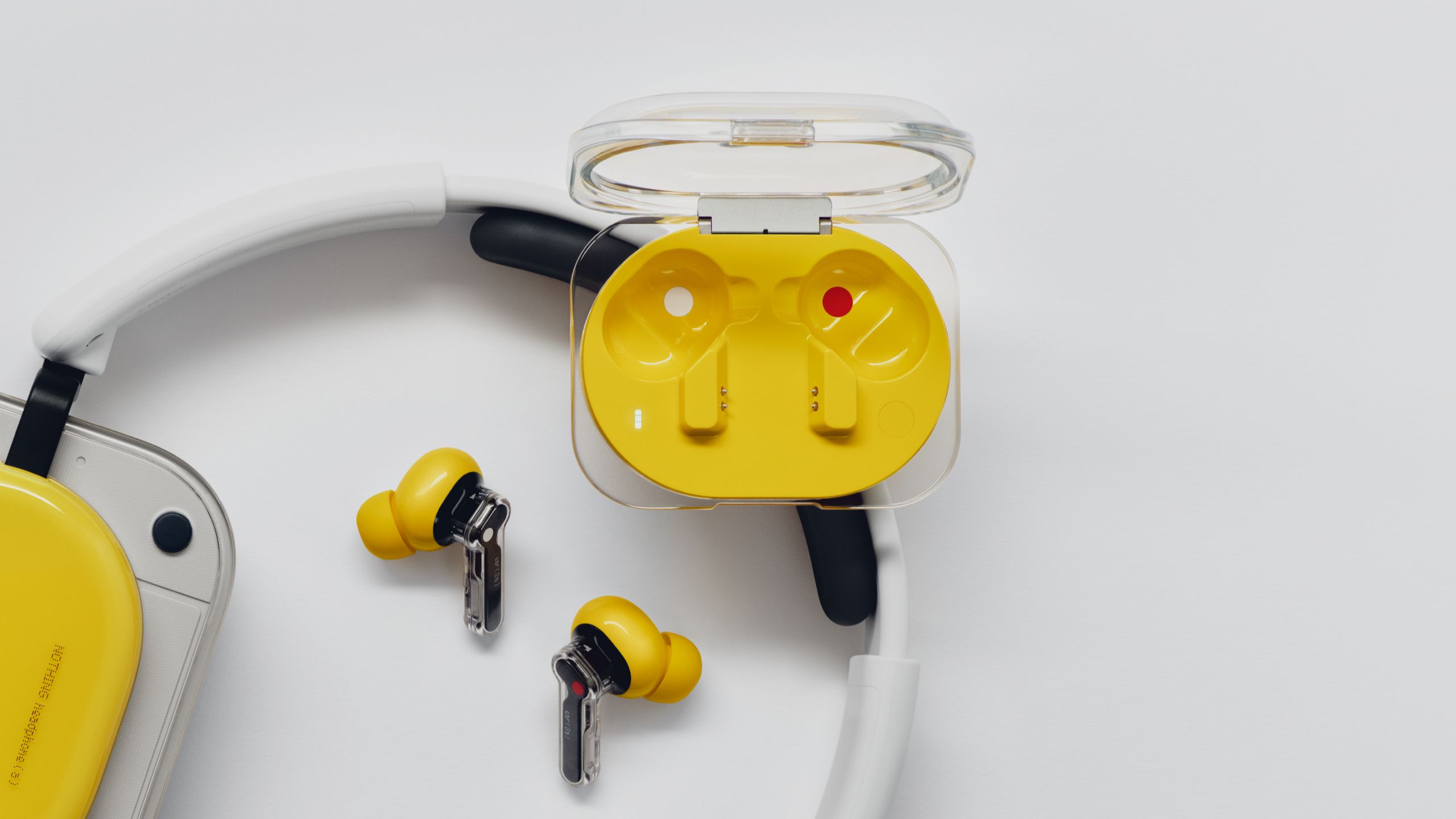

According to Android Central and Android Police, Nothing’s new Audio Snapshot feature relies on 32MB of onboard storage. Pressing both earbud stems can capture an audio clip, including a few seconds before activation and some context after it. The clips then sync to the companion app, where they can be replayed, edited, shared and transcribed. The “audio screenshot” metaphor is clever, but it is also slightly too neat: a screenshot captures an interface; an audio clip can capture people.
The second layer is direct call and meeting recording. Android Police says the onboard storage allows up to two hours of recording, while Android Central notes that Nothing says other participants are notified when a call or meeting is being recorded. That detail matters. Call recording laws vary by country and even when recording is legal, there is still a trust issue between people. The standard “AI notes everywhere” excitement needs a little restraint here. Product marketing will survive the trauma.
What To Check First On Android
The first check is simple but important: install the official Nothing X app from Google Play, not a random APK. The app is where recordings, transcripts, equalizer settings and earbud management live. If a feature does not appear immediately, it may depend on app version, earbud firmware, country, account state or staged rollout. Before calling it broken, update the app, the earbuds and the phone.
The second check is permissions. If Nothing X handles audio, calls, notifications or transcription, Android should ask for permissions that match those jobs. The useful question is not “how many permissions does it request?” but whether each permission has a clear reason. A recording feature without sensible permissions would be suspicious; a permanent request for everything would be worse. AndroidLab recently made the same point in its guide to Android in-app browsers and privacy checks: convenient features become opaque when users no longer understand where their data goes.
What Actually Changes
The Ear 3a move a small part of digital memory from the phone to the accessory. Recording a call or a lecture is not new. The interface shift is the point: you do not open an app, hunt for a button and start a workflow. You press the earbuds and save. That lower friction is exactly what makes the feature powerful and, if mishandled, uncomfortable. The most invasive technology is not always the most dramatic; sometimes it is the thing that feels normal after three days.
On the hardware side, the spec sheet looks solid rather than shocking: a 12mm dynamic driver, active noise cancellation up to 45dB, Hi-Res Wireless Audio, LDAC, an eight-band equalizer, three microphones for calls, transparency mode and up to 10 hours of battery life with ANC enabled according to Android Police. Those are good numbers for the price, but the reason the Ear 3a stand out is the recording-plus-transcription package. At $99 or £99, this kind of capture tool moves far below the price of many dedicated AI note-taking gadgets.
Practical Checklist
- Install Nothing X from Google Play and keep it updated.
- Update the earbud firmware before judging Audio Snapshot.
- Check where clips, recordings and transcripts are stored.
- Before recording a call or meeting, tell the people involved.
- If you use the earbuds at work, check company policy, privacy rules and compliance requirements.
- Be careful with music or protected content: Android Police notes that behavior around streaming and copyright is not fully clear yet.
AndroidLab’s Take
This is a good feature if it is treated as a tool, not as magic. For students, quick meetings, voice notes and practical phone calls, it can be genuinely useful. But participant notifications need to be reliable, transcripts need clear handling, and the app should explain what stays on the earbuds, what moves through the phone and what, if anything, is processed in the cloud. Otherwise the “invisible recorder” becomes another case where users discover the boundaries of privacy only after someone has already crossed them.
In Short
- Nothing Ear 3a introduces Audio Snapshot with 32MB of onboard storage.
- The earbuds can record calls and meetings for up to two hours, according to Android Police.
- Clips are managed through Nothing X, available on Google Play.
- Pricing is listed at $99 or £99, with availability from July 7, 2026.
- The key issue is not only technical: recording, consent and transcription need careful handling.