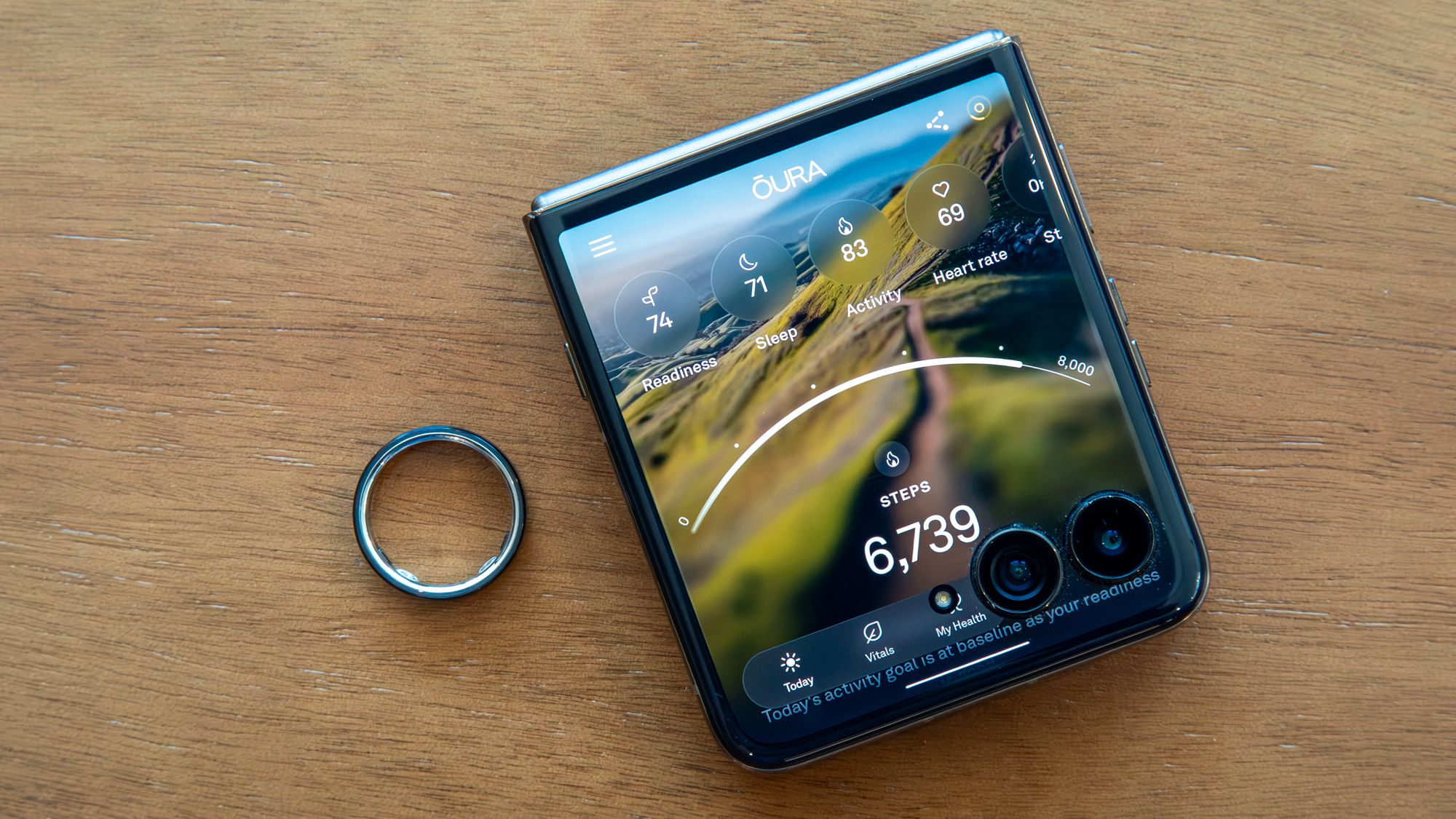
Oura Ring 5 brings back a very practical Android question: you buy the ring once, but most of its daily value lives in the app and in the Oura Membership. Android Central has just revisited the issue with the new model, while Oura’s own documentation states the less glamorous part clearly: without an active membership, you mainly keep the three daily scores, ring battery, basic profile information, app settings and Explore content.

That is not automatically a scandal. A wearable that tracks sleep, recovery, activity, temperature and stress needs software maintenance, algorithms and cloud services. But it does mean you should understand the product before buying it: hardware, app, subscription, personal data and platform dependency are all part of the same decision. The ring price is only half of the story; the other half arrives every month, politely pretending to be a small detail.
Before Buying: Requirements And Compatibility
The first check is simple but important: the official Android app is Oura on Google Play. If your Android phone is not compatible, or if you rely on a heavily restricted work profile, the ring can become a polished object with a broken data flow. Avoid random APK mirrors: for a device handling health-related data, unofficial packages are a very efficient way to create unnecessary trouble.
The second check is the account. Oura says membership is tied to your Oura account, not to the physical ring itself. That is useful when changing devices, but it also means email, passkeys, payment method, supported country and data export options should be checked before you need to cancel or troubleshoot anything.
The third check is cost. Oura lists US pricing at $5.99 per month or $69.99 per year; in the European Union it lists 5.99 euros per month or 69.99 euros per year, with regional pricing and local taxes depending on the market. New members receive one included month. Lab translation: add at least one year of membership to the ring price before deciding whether the total still makes sense against a smartwatch, a fitness band or another smart ring.
What Works Without A Membership
According to Oura, without an active membership you can still see the three daily scores: Readiness, Activity and Sleep. You also keep ring battery, basic profile information, app settings and Explore content. That is enough to know whether the ring is alive and whether your main metrics are moving.
What you lose is the part that makes Oura interesting for many people: deeper insights, trends, richer analysis, personalized guidance, advanced features and API access. If your use case is “I want one simple number in the morning,” the free layer may be enough. If you want to understand why recovery drops, how sleep changes, which habits matter or how to export data into a more technical workflow, the subscription becomes almost part of the product.
Practical Android Setup
- Install or update Oura from the official Play Store listing.
- Check Bluetooth, notifications and requested permissions before granting everything on autopilot.
- Open the app, pair the ring and verify syncing before judging battery life or reliability.
- During the included month, note which features you actually use: sleep, stress, activity, cycle tracking, tags, trends or data export.
- Before the included period ends, open Membership Hub and check plan, local price, payment method and cancellation options.
- If you do not renew, check what remains visible in the app and download your personal data if you need it for your own archive or analysis.
Common Problems To Check
If syncing feels slow, do not start with aggressive resets. Check ring battery, Bluetooth, Android battery restrictions and app updates first. Many Android phones are enthusiastic about killing background work; for a wearable, that can mean late data or inconsistent notifications.
If your membership appears to be missing, check the account used in the app. Membership, history and data are not magically stored inside the ring: they are associated with your profile. If you change email, phone or sign-in method, verify the existing account before accidentally creating a new one. Boring, yes. Also exactly the kind of boring that saves time.
If privacy is your priority, read the settings before turning everything on. Oura works with sensitive body data: sleep, temperature, activity, stress and cycle tracking. The right question is not only “does it work?” but “which data am I handing over, for what benefit, and can I export or delete it later?”.
What Actually Changes
Oura Ring 5 is not just an Android-friendly ring. It is a hardware product that strongly points toward an ongoing service. The best value arrives with membership active, while the no-subscription experience is more limited and summary-based. That does not make the model automatically wrong, but it changes the correct evaluation: this is a subscription wearable ecosystem, not a one-off gadget.
The practical conclusion is straightforward: buying Oura makes sense if you will actually use the insights and accept the recurring cost as part of the product. If you only want steps, notifications and a few basic charts, Android has less elegant but simpler alternatives. Less aura, more arithmetic. Annoying, but usually healthy.
Related: AndroidLab has previously covered Oura on Android, reproductive health features and practical limits, with a stronger focus on personal data and daily use.
In Short
- Oura Membership is not mandatory, but it unlocks much of the app’s value.
- Without membership, you mainly keep the three daily scores, battery and basic settings.
- Oura lists pricing at $5.99 or 5.99 euros per month in major markets, before local variations and taxes.
- The Android app should be installed from Google Play, not APK mirrors.
- Use the included month to check which features you actually rely on.
- Privacy, data export and account access are practical checks, not footnotes.