On this page
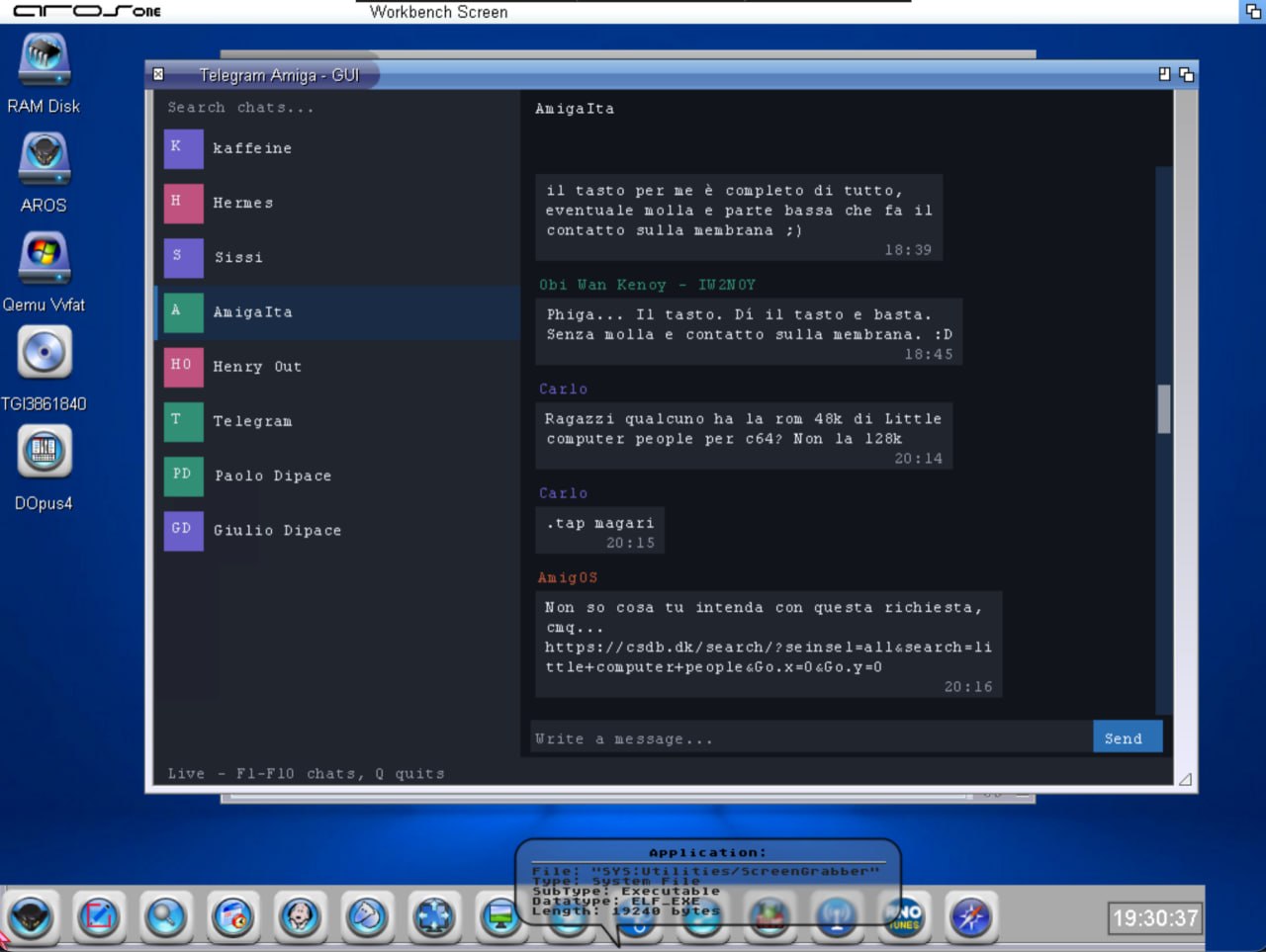
Telegram Amiga alpha 0.0.2 is the release where the project marks the move from protocol proof-of-concept toward a more complete text messaging client for the Amiga family. The headline is not one isolated feature: it is the consolidation of the native GUI, shipped as separate pre-release packages for AmigaOS 3.x, AmigaOS 4.x, MorphOS, AROS i386 and AROS x86_64.
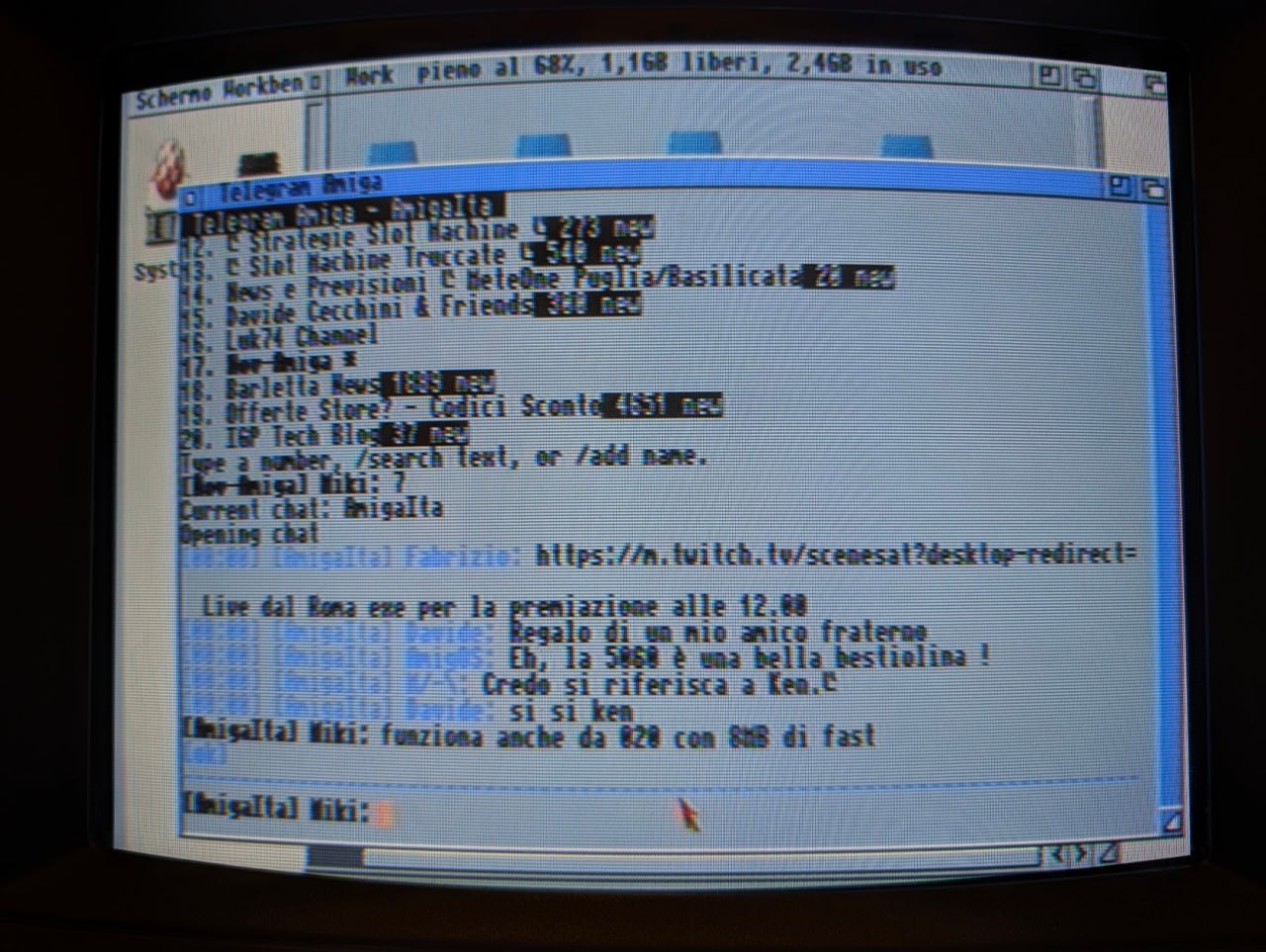
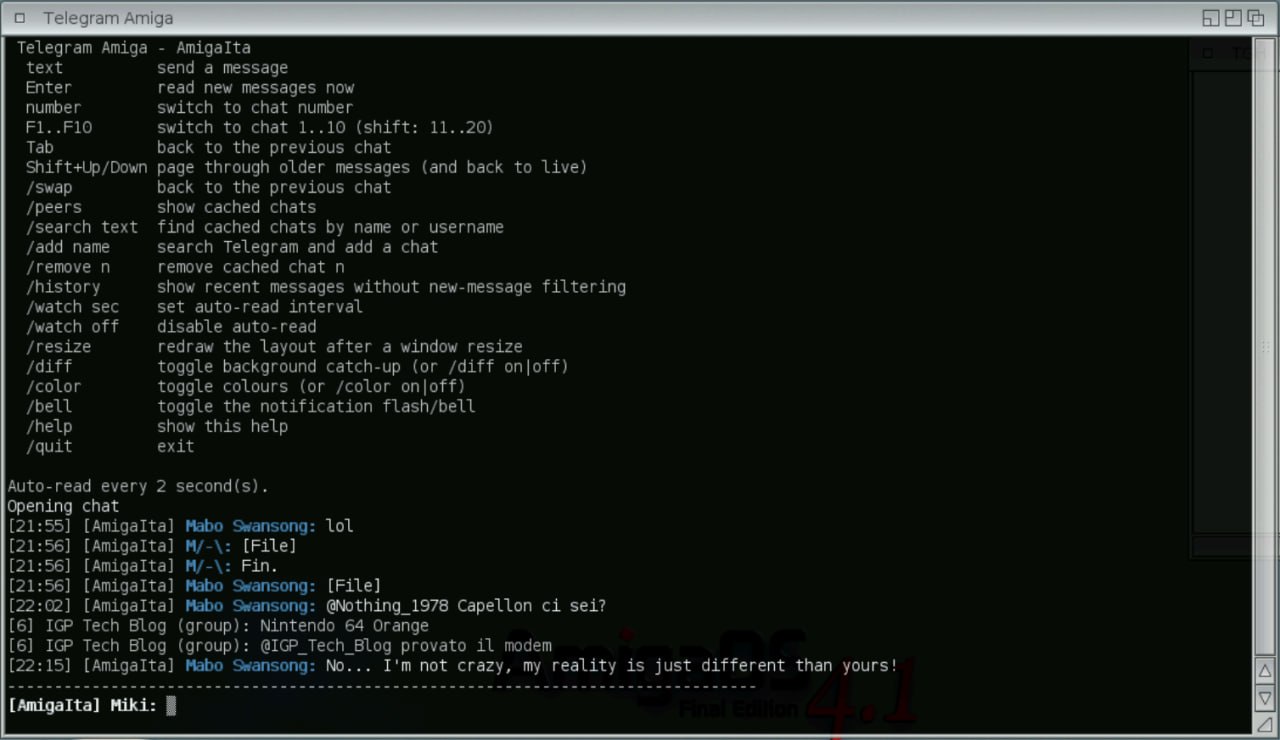
This matters because Telegram Amiga is not a web wrapper and not a nostalgic shell around an existing desktop app. It is a from-scratch MTProto client: real Telegram account login, local session storage, chat list, message history, sending and receiving text, with two front-ends over the same core. TelegramGUI provides the native Intuition/GadTools window, while TelegramTUI keeps the console path alive for simpler systems and keyboard-first use.
What is new in alpha 0.0.2
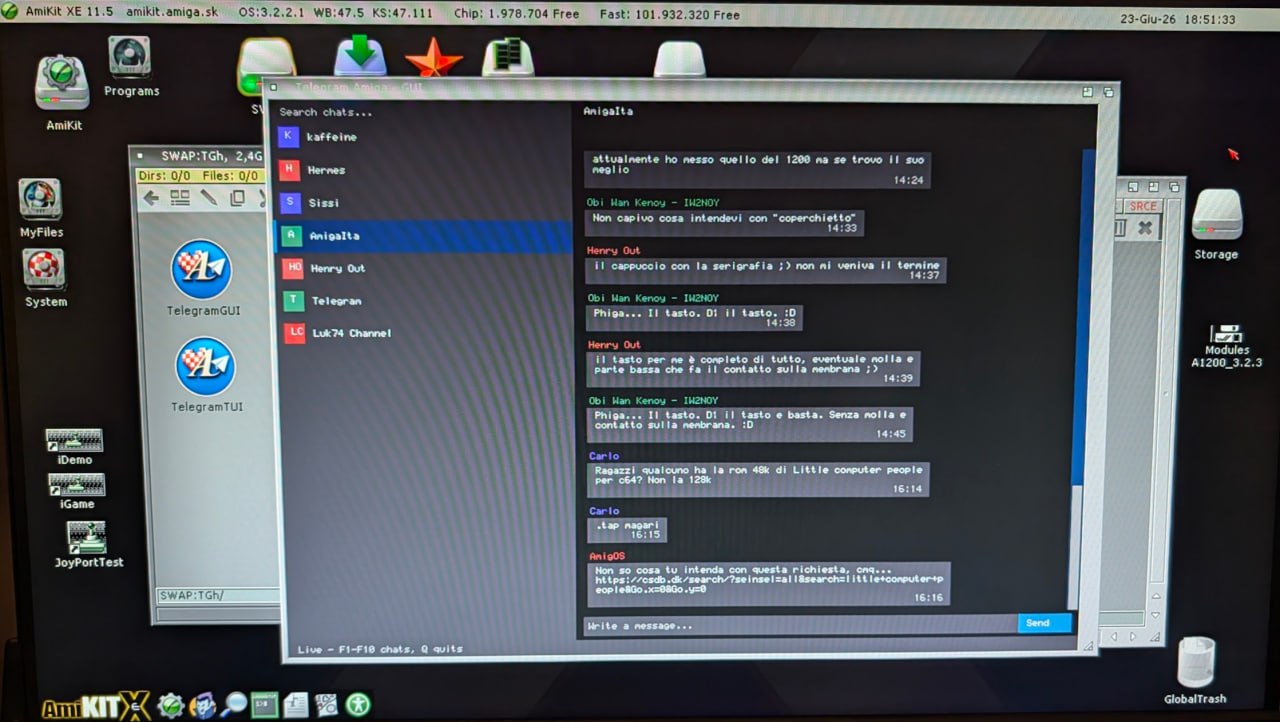
The 0.0.2 release adds practical workflow features to the graphical client. The GUI now supports scroll-to-top history paging, so older messages can be loaded on demand. It also adds online chat search for finding and adding conversations that are not already in the local list, persistent unread badges, persistent drag-and-drop chat reorder, persistent chat removal from the local list, and a full chat-list fetch on first login.
The conversation view changed more than the short summary suggests. The GUI now handles long and multi-line messages, a wrapping multi-line composer, deeper backlog loading, progressive older-history paging, cross-chat notifications, read receipts, reply quotes, message styling and text entities. In other words, it is no longer just proving that a few Telegram messages can appear in a window: it is moving toward a real text messaging workflow within the limits of Amiga-family systems.
Update: Telegram Amiga alpha 0.0.3 is also available now, with native replies in the GUI, Telegram-style graphical checkmarks, faster read-state refresh and double buffering to reduce flickering.
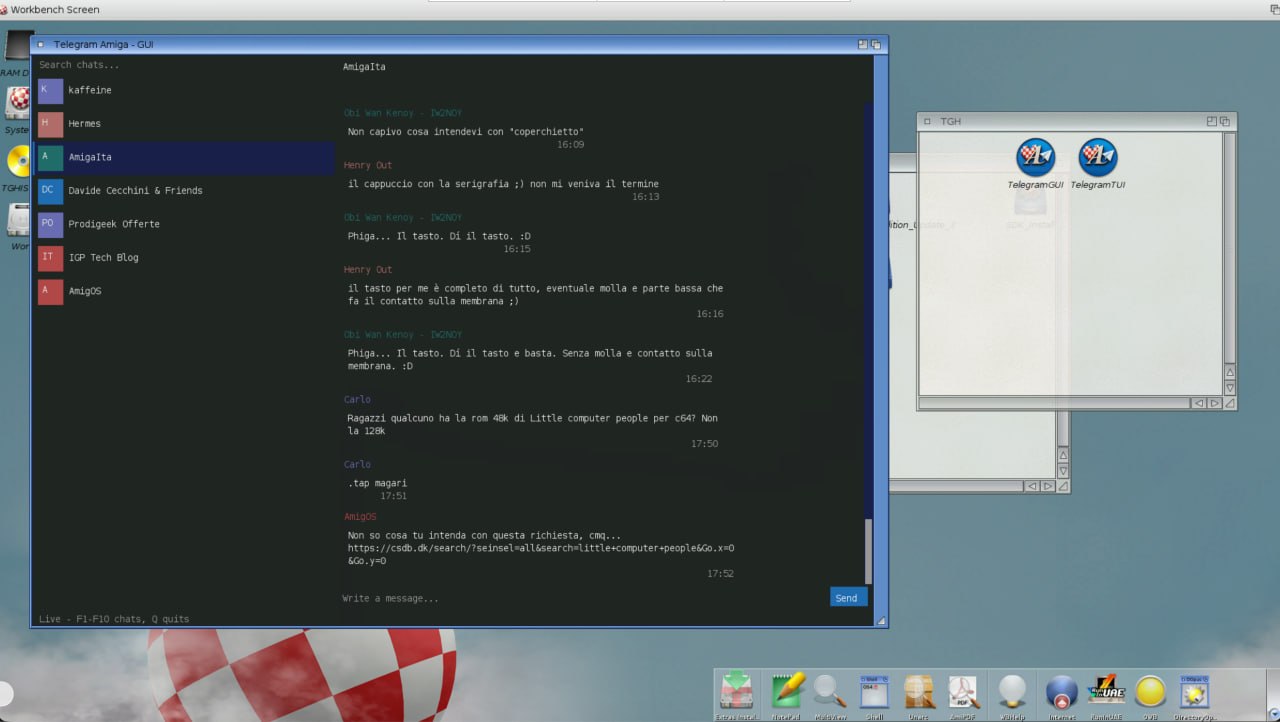
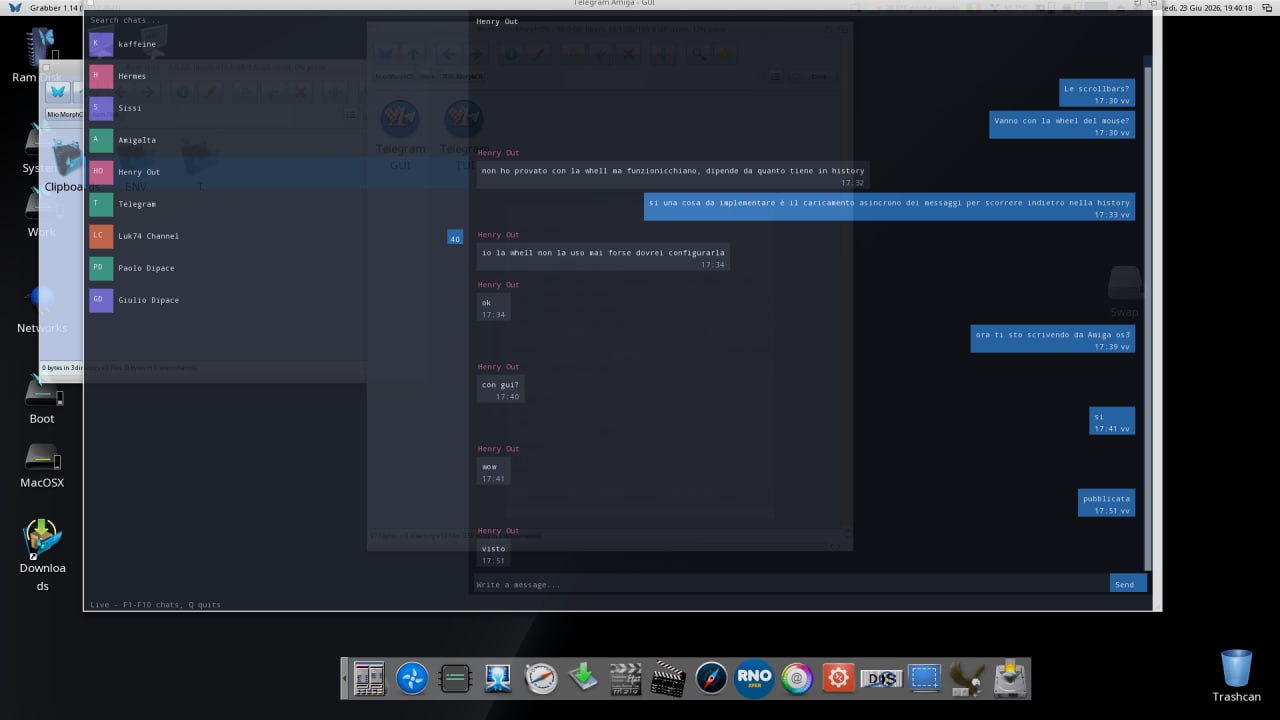
The interaction layer is also richer: mouse wheel, scrollbar, arrow-key and finer pixel scrolling, remembered window size, dark theme, click-to-compose, “<name> is typing” indicators including group member name resolution, and a flashless Workbench launch path when starting TelegramGUI by double-click. These are practical details, but they matter: a GUI client becomes testable when repeated interaction costs are reduced.
Stability and engine work
Alpha 0.0.2 is not only about the interface. The changelog also includes the kind of work that keeps a client alive after the first demo: accented characters are sent as UTF-8, OS3 window flicker has been reduced, media and forwarded-message history parsing is more robust, gzip_packed Telegram responses are decoded in-tree, buffers are larger for busy chats and groups, crowded accounts can expose more chats, and the TUI Guru caused by the cap bump has been fixed.
There is low-end performance work too, including precomputed AES decrypt tables and more aggressive compilation for self-test-verified crypto units. PPC targets also get stack and polling fixes, especially around MorphOS behaviour, while the login flow now surfaces real send_code/sign_in errors instead of hiding them behind generic failures. This is consolidation work: less visible than a new window, but essential for repeatable testing across different platforms.
Technical screenshots from alpha 0.0.2
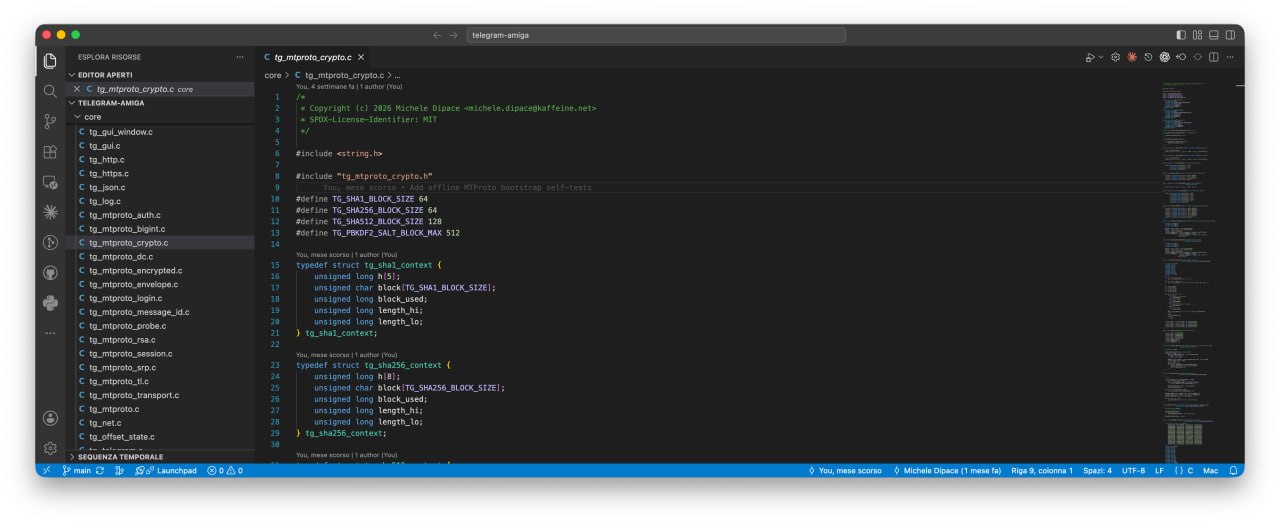
Below are real screenshots from the release: GUI builds on different Amiga-like environments, the TUI client and the development workspace. They show the author’s own test sessions and help document the current state of the client across supported targets.
One engine, two front-ends
The architecture remains central. TelegramGUI and TelegramTUI share the same MTProto core instead of becoming two separate clients that slowly drift apart. Authentication, session state, dialogs, peers, history, sending, receiving and local state are handled once; the user then chooses whether to use a native window or the text interface.
The GUI is drawn by the client itself over an Amiga RastPort using Intuition/GadTools. The project deliberately avoids MUI, ixemul and AmiSSL as mandatory product dependencies. The cryptographic pieces needed by MTProto, including RSA, Diffie-Hellman, SRP/2FA, AES and SHA, are built into the program. That is a demanding path, but a coherent one: the fewer external assumptions the client makes, the more realistic its cross-platform Amiga-family story becomes.
The available packages
Alpha 0.0.2 is available as five GitHub pre-releases:
- AmigaOS 3.x alpha 0.0.2, a native m68k build for 68020 or better;
- AmigaOS 4.x alpha 0.0.2, the PowerPC build with the full feature set;
- MorphOS alpha 0.0.2, with platform notes around chat-list discovery via Search;
- AROS i386 ABIv0 alpha 0.0.2, the broadest AROS target for testers;
- AROS x86_64 alpha 0.0.2, aimed at systems where SDK and kickstart come from the same line.
Each package includes TelegramGUI, TelegramTUI, icons, the public project telegram-api.txt file and per-architecture manuals in Italian and English. Private files are not bundled: no saved session, no tokens, no peer cache, no phone number, no login code and no password.
Alpha still means alpha
This is not a complete Telegram Desktop replacement. Media upload and download, message edits, deletes, reactions, full contact management and a fully polished long-session update loop are still outside the current scope. The declared goal is a dependable text client first; richer features can come later only if the target systems make them realistic.
The AmigaOS 3.x notes are also honest about two-factor authentication. Telegram’s PBKDF2-based password step can be extremely slow on an unaccelerated 68020, slow enough that the login flow may expire before the calculation finishes. Faster 68k systems can still try, but the documentation states the limit directly instead of hiding it. That is the right posture for test software: describe measurable constraints clearly.
Why this is interesting beyond retrocomputing
Telegram Amiga is a retrocomputing project, but not just a museum exercise. It is a modern protocol being reduced to a small, inspectable, portable native client: cryptography, session state, networking, UI, packaging and platform notes all in one place. The technical value is in the reduction: protocol, networking, cryptography, local state and interface code remain inspectable across platforms with very different constraints.
Alpha 0.0.2 matters because it shows continuity. The project is no longer only proving that MTProto can speak from an Amiga-like system. It is shaping the user experience around that core: chat list, unread state, history paging, search, typing indicators, drag reorder, two front-ends, manuals and separate architecture packages. It remains alpha software, but with a defined engineering direction: make the text workflow dependable first, then expand without losing portability.
Quick summary
- Telegram Amiga alpha 0.0.2 is available for AmigaOS 3.x, AmigaOS 4.x, MorphOS, AROS i386 and AROS x86_64.
- The packages ship both TelegramGUI and TelegramTUI over the same MTProto core.
- The GUI now supports scroll-back history paging, online chat search, persistent unread badges, drag-and-drop chat ordering, chat removal, long and multi-line messages, group typing indicators and read receipts.
- Scrolling, composer behaviour, reply quotes, styling/entities, cross-chat notifications, UTF-8 accented text, gzip_packed decoding and stability on accounts with many chats have also improved.
- The project avoids MUI, ixemul and AmiSSL as mandatory runtime dependencies.
- It remains an alpha focused on dependable text messaging, not a full Telegram Desktop clone.
Sources and context
- Telegram Amiga repository on GitHub
- AmigaOS 3.x alpha 0.0.2 release
- AmigaOS 4.x alpha 0.0.2 release
- MorphOS alpha 0.0.2 release
- AROS i386 alpha 0.0.2 release
- AROS x86_64 alpha 0.0.2 release
- Official Telegram MTProto documentation
- Related: Telegram Amiga alpha 0.0.3 with native replies and graphical checkmarks
- Related: Telegram Amiga alpha 0.0.1 with native GUI
- Related: Telegram Amiga becomes a real MTProto client