ADB does not always have to mean a USB cable, a laptop and a platform-tools folder waiting on a desk. The fresh hook comes from XDA Developers, which on July 6, 2026 covered using Shizuku to bring part of the ADB workflow directly onto the phone and then use tools such as Canta without reaching for a PC every time. The useful part is not the trick itself; it is knowing when this shortcut is practical and when it becomes a very efficient way to break something.
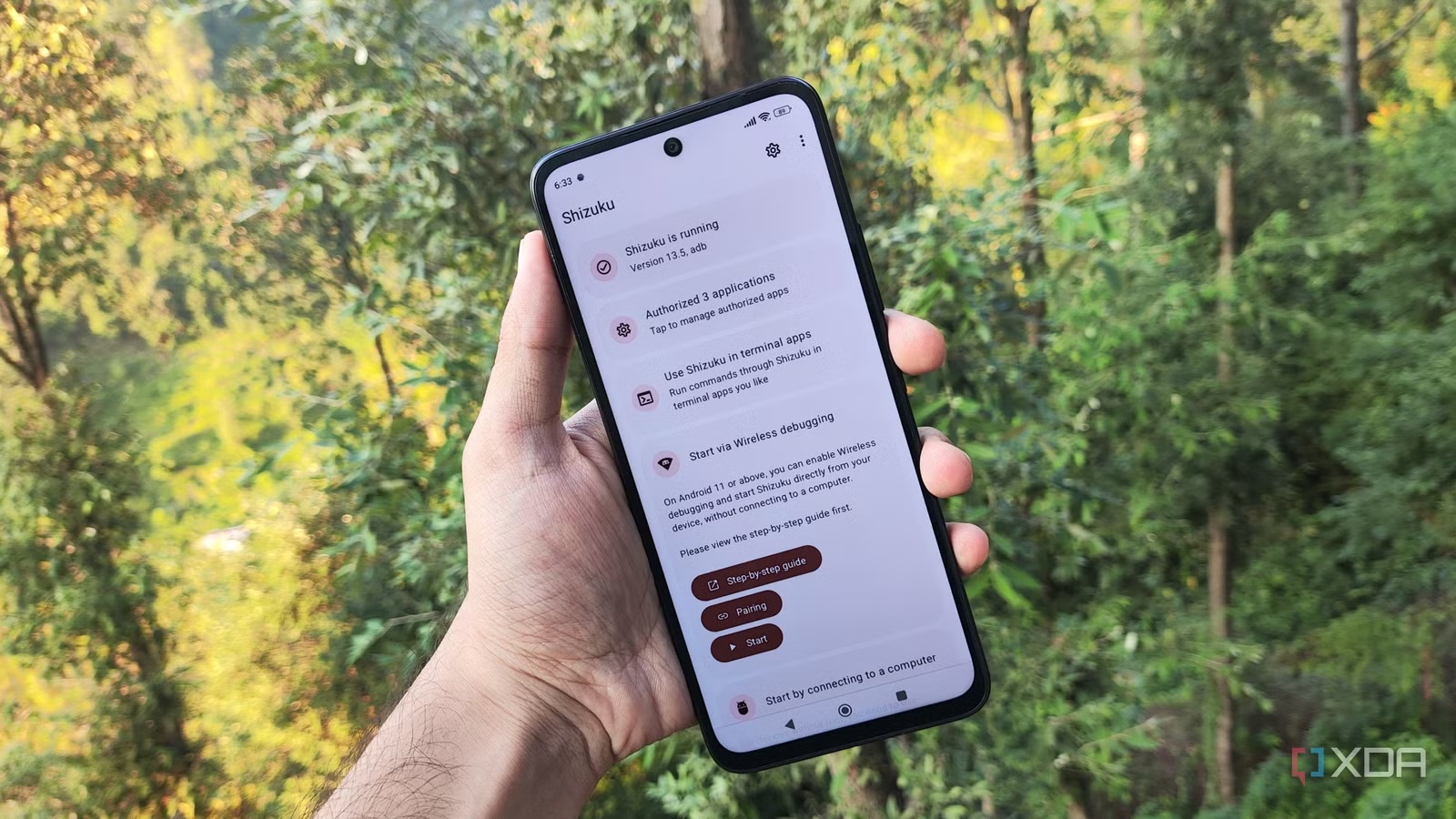
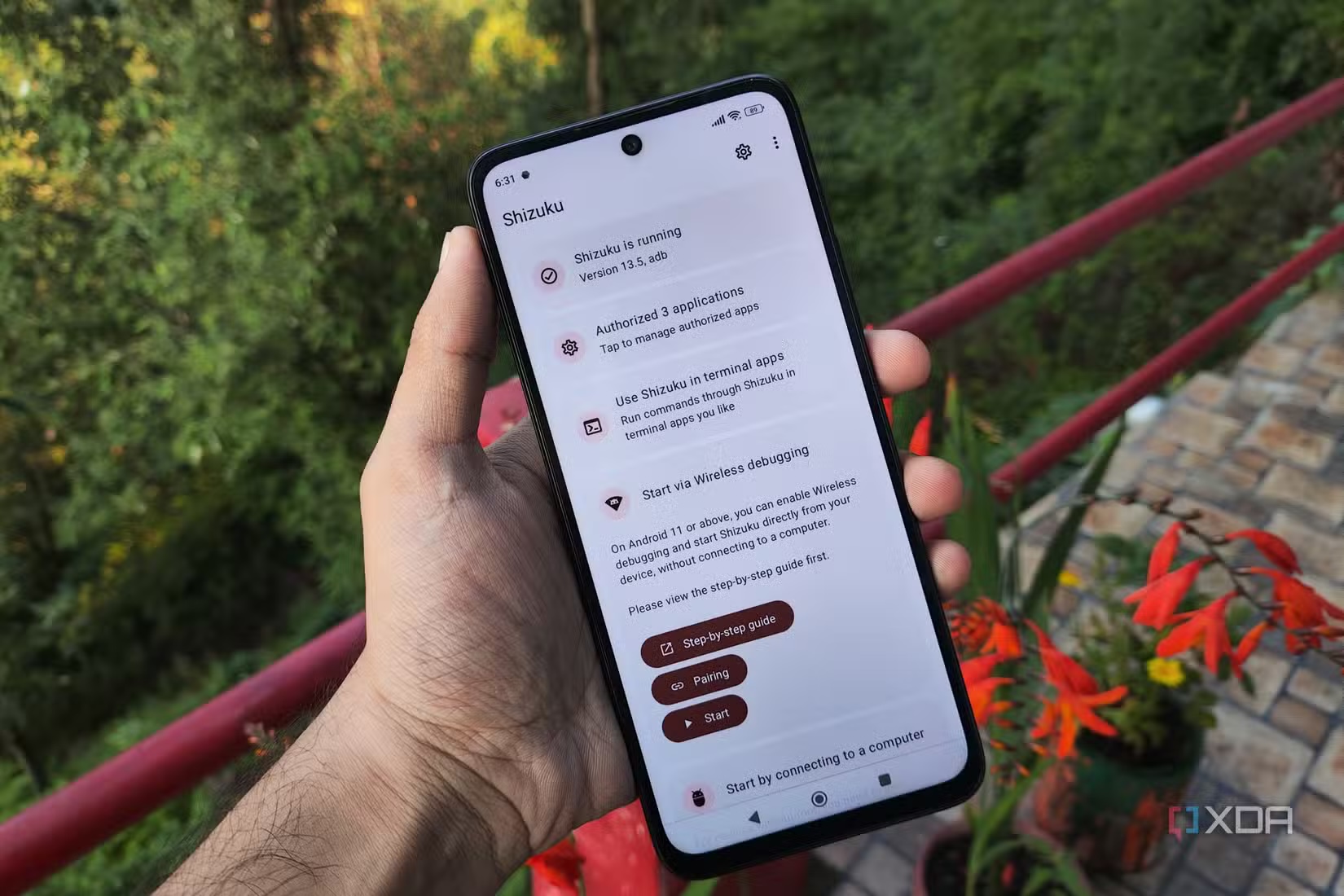
The technical foundation is clear enough. Android Debug Bridge remains Google’s official tool for communicating with an Android device, while Shizuku starts a privileged service that lets compatible apps call selected system APIs with ADB-level permissions. It is not root, it does not unlock the bootloader and it does not turn the phone into a consequence-free playground. It is a bridge: useful, reversible, but worth treating like a real system tool.
This guide is meant as a practical checklist before touching system apps, carrier extras, manufacturer bloatware or commands that look harmless only because they are wrapped in a friendly interface. Android allows a lot, but it does not always forgive careless cleanup. Random debloating starts as digital hygiene and can end with broken notifications, a confused launcher or Google services silently sulking in the background.
Minimum requirements
For the no-PC flow discussed by XDA, you need a phone or tablet running Android 11 or later, because the practical setup uses the wireless debugging feature inside Developer options. You also need Shizuku from Google Play or the official project, plus compatible apps whose purpose you actually understand: Canta for bloatware management, aShell You for ADB commands on-device, or similar tools with transparent maintenance.
Before starting, do three boring checks. They are boring because they save time:
- make sure the device is still receiving updates or at least running a stable build;
- keep the battery comfortably charged while pairing and changing app state;
- know how to restore, re-enable or reinstall a package removed only for the current Android user.
If the phone is managed by an employer, a school profile or an MDM policy, stop before experimenting. Some Developer options may be restricted, and bypassing that is not optimization. It is paperwork with extra steps.
How to start Shizuku without a computer
The menus vary across Pixel, Samsung, Xiaomi and other Android skins, but the flow is generally this:
- Open Settings, go to About phone and tap Build number several times to enable Developer options.
- Open Developer options from System or Additional settings.
- Enable USB debugging and, where available, Wireless debugging.
- Open Shizuku and choose the wireless debugging startup method.
- In Android’s wireless debugging screen, use pairing with a code.
- Enter the Android pairing code in Shizuku when prompted.
- After pairing succeeds, return to Shizuku and start the service.
- Check that Shizuku reports it is running and shows the authorized apps section.
Once it is running, Shizuku becomes the permission checkpoint. Compatible apps should not get long-lived access just because “it works”. Authorize what you need, revoke access when you are done, and avoid random ADB tools that promise one-tap miracles.
Debloating: what to remove and what to leave alone
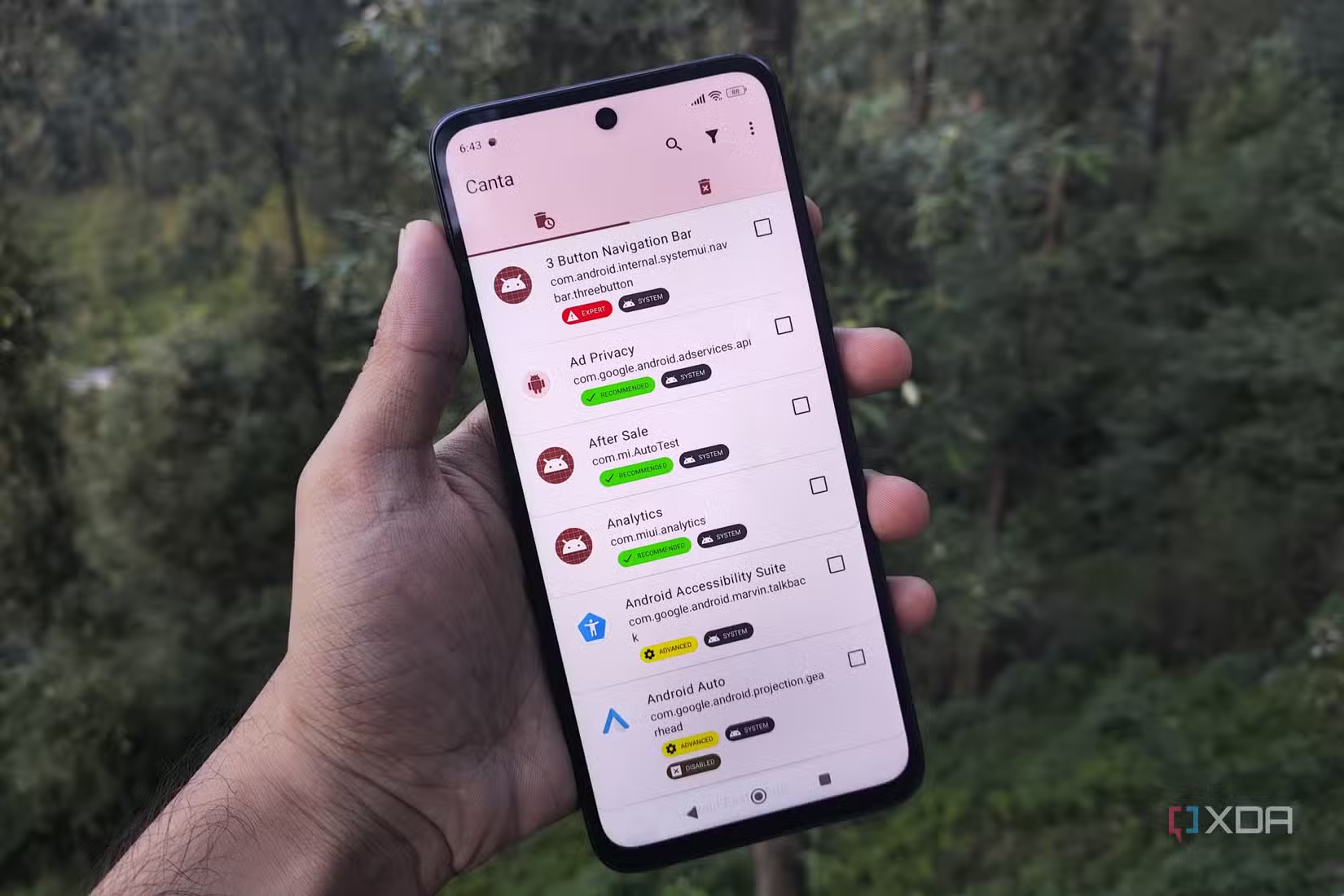
Canta is the interesting example because it uses Shizuku to manage preinstalled apps on non-rooted devices. The important distinction is between annoying extras and system components. Removing a promotional game, a duplicate vendor app or a shopping app is one thing; disabling packages tied to telephony, accounts, push notifications, camera services, keyboards, launchers or updates is a different game.
The AndroidLab rule is simple: disable first, observe, then consider a more aggressive removal for the current user. If a tool labels a package as advanced, unknown or potentially critical, do not treat that label as decoration. Search the package name, check what it does and read project issues when available. That is part of the procedure, not nerd bureaucracy.
Common problems and fixes
If pairing fails, check that the phone is on the same local network and that VPNs, DNS filters or aggressive battery modes are not getting in the way. Some Android skins kill Shizuku in the background, so excluding it from battery optimization can be necessary while you are using it.
If Shizuku starts but a compatible app cannot see the permission, open Shizuku’s authorized apps section and grant access there. If everything stops working after a reboot, that is not necessarily a bug: in many cases the privileged service must be started again because the device lost the wireless-debugging session state.
If debloating breaks something, do not keep making changes. Re-enable the package from the app you used, search the exact package name and, if needed, fall back to an app settings reset or backup. A factory reset is the fire extinguisher. Useful, but not something you want to use for every spark.
What actually changes
For curious Android users, power users and sysadmins away from a desk, Shizuku makes ADB less dependent on a PC and closer to an on-device maintenance panel. It is useful for targeted cleanup, personal phone maintenance and quick checks when a laptop is not available.
The limit is just as real: it does not replace root, it does not make every command safe and it does not remove the need to understand what you are authorizing. In fact, lowering the barrier makes easy mistakes more likely. Used with method, though, it is one of the cleaner ways to use ADB-like powers on Android without turning every tweak into a recovery exercise.
For a related permission and sideloading scenario, see AndroidLab’s guide to Android Auto unofficial apps before sideloading: the context is different, but the practical logic is the same, namely permissions, compatibility and rollback before enthusiasm.
In brief
- The fresh source is XDA Developers, published on July 6, 2026, with a focus on Shizuku, Canta and ADB without a PC.
- The practical method requires Android 11 or later and wireless debugging in Developer options.
- Shizuku is not root: it grants privileged access to compatible apps, but it is still a system-level bridge.
- For debloating, proceed in stages: disable, observe, research and only then remove.
- The workflow is useful, but ADB permissions and system packages are not weekend toys.